Accessibility UX - UX Research - Interaction Design

Deaf Connect makes critical hospital communication visual, direct, and continuous.

A mobile healthcare concept connecting AI-assisted booking, face-to-face communication, and accessible care records.

Role
Product Designer
Scope
Research, UX, UI, Accessibility
Team
Individual Project
Tools
Figma, Illustrator
Timeline
3 Months
Concept demo · simulated booking & shared conversation

Overview

The Context

A hospital visit is a chain of spoken exchanges. Describing a symptom, finding the right room, or understanding the next step can each require a new communication workaround.

Deaf Connect brings preparation and face-to-face communication into one visual experience, with the patient in control of what is shared.

What I Did

I brought together a questionnaire, three stakeholder interviews, and journey mapping to identify the moments where information gets lost.

I designed a guided department-selection flow and a shared-screen conversation mode, carrying communication preferences and visit context from preparation into the consultation.

Why This Project

Make the hospital journey understandable, from arrival to the next step.

The project began by exploring the difficulties Deaf patients encounter when seeking medical care. The aim was to find practical interaction-design opportunities for receiving information, expressing needs, and navigating the visit with greater independence.

Global context / WHO, 2026430M

people require rehabilitation for disabling hearing loss worldwide.

Hearing access is also communication access.

WHO identifies communication limitations, social isolation, and stigma among the effects of unaddressed hearing loss. Captioning and sign-language interpretation are recognized communication supports.

For this project, that context became a focused question: how can a visual interface support the information patients need before, during, and after a consultation?

Source: WHO, Deafness and hearing loss · 3 March 2026 ↗The questionnaire and interviews below are separate primary project research.

The Problem

Care depends on a conversation. Access should not depend on hearing it.

When every handoff assumes spoken communication, the patient has to reconnect the information themselves.

01

Find care

Which department fits my symptoms?

Unclear entry point
02

Arrive

Where do I go, and when is it my turn?

Spoken directions
03

Explain

How do I make sure my symptoms are understood?

Meaning gets lost
04

Continue

What was agreed, and what happens next?

Information fades

Research

The hardest moment was the conversation itself.

I compared the questionnaire with the patient, friend, and provider perspectives to locate the most difficult handoffs.

Questionnaire3 stakeholder interviewsJourney mapping

Questionnaire results 200 respondents · author-reported overall sample

Source: original project board, Questionnaire panel ↗Readable figures below are transcribed from that board, not population estimates. Per-question denominators and raw responses were not retained for this audit; they cannot be converted into counts out of 200. Unreadable or inconsistent results are omitted.

Question 01 / FrictionWhich part of a medical visit felt most inconvenient?
  1. Communicating with physicians
    34.21%
  2. Inpatient care
    28.95%
  3. Finding the consultation room
    23.68%
  4. Registration
    10.53%
  5. Taking medicine
    2.63%

Access to Support

Having a service available does not mean receiving it at every visit.

The remaining questionnaire topics explored familiarity, the kinds of support people received, and how consistently that support appeared.
Question 02 / FamiliarityDo you or your friends know people with disabilities?
YesNoDon't know

This question explored how close disability was to respondents' everyday experience. Its numerical result is omitted because the original chart does not clearly connect the value to an answer.

Question 03 / Free ClinicsHave you or a friend received a hospital-organized free clinic?
Yes
71.05%
No
28.95%

Free-clinic access was one form of support captured in the questionnaire; it is distinct from accessible communication during a routine visit.

Question 04 / AccommodationHave you or a friend received disability accommodation during a visit?

The question captures whether accessibility support reached the patient during the visit.

The numerical result is omitted because the original proportions are inconsistent. No corrected values or distribution have been inferred.
Question 05 / Services ReceivedWhat convenience services have you or a friend received during a visit?
  1. Green channel for medical treatment
    60.53%
  2. Medical guidance
    57.89%
  3. Auxiliary devices
    34.21%
  4. No service obtained
    5.26%

Independent service categories, shown on a 0–100% scale rather than combined into a single pie.

Question 06 / ConsistencyHow often do you or a friend receive convenience services during a visit?
Occasionally
63.16%
Every time
34.21%
Never
2.63%

Occasional access was the largest category in the retained chart. This informed a design goal, not a tested outcome: keep support visible across the visit rather than rely on a single encounter.

Interview Synthesis

Three perspectives. One need for clearer communication.

The interviews connected respectful communication, earlier preparation, and dependable clinical support.

Illustration of a male Deaf patient representing the anonymized patient interview
Patient

Mr. A, 35

Deaf patient who uses sign language and writing to communicate.

Goal
Receive comparable quality of care, an accurate diagnosis, and an appropriate treatment plan.
Barrier
Spoken exchanges limit direct communication with doctors and medical staff.
Social experience
Encounters curiosity, sympathy, and unease from hearing people.
NeedsRespect my way of communicating.

Support sign, text, and electronic communication without making the patient repeatedly explain their needs.

Illustration of a woman who has a Deaf friend, representing the anonymized friend interview
Friend Perspective

Ms. B, 25

A woman who has a Deaf friend.

Goal
Find clearer medical information and reliable answers to health questions.
Barrier
Medical language and hard-to-find resources make it difficult to offer useful support.
Social perspective
Reject prejudice and help people understand disability earlier.
NeedsBuild understanding earlier.

Begin awareness activities at school and make clear health resources and communication support easier to discover before a hospital visit.

Illustration of an Asian woman clinician aged 54 representing the anonymized provider interview
Provider

Dr. C, 54

A clinician working with different communication needs.

Goal
Provide accessible, high-quality care using alternative communication tools when needed.
Barrier
A lack of suitable tools and support makes shared understanding harder to establish.
Social experience
Partial understanding can create communication misunderstandings on both sides.
NeedsGive care teams a dependable channel.

Pair appropriate communication tools with trained hospital guides, accessible channels, and support staff who understand sign language.

Anonymized interview synthesis · illustrative portraits. Source: original project board, three Interview profiles and responses.

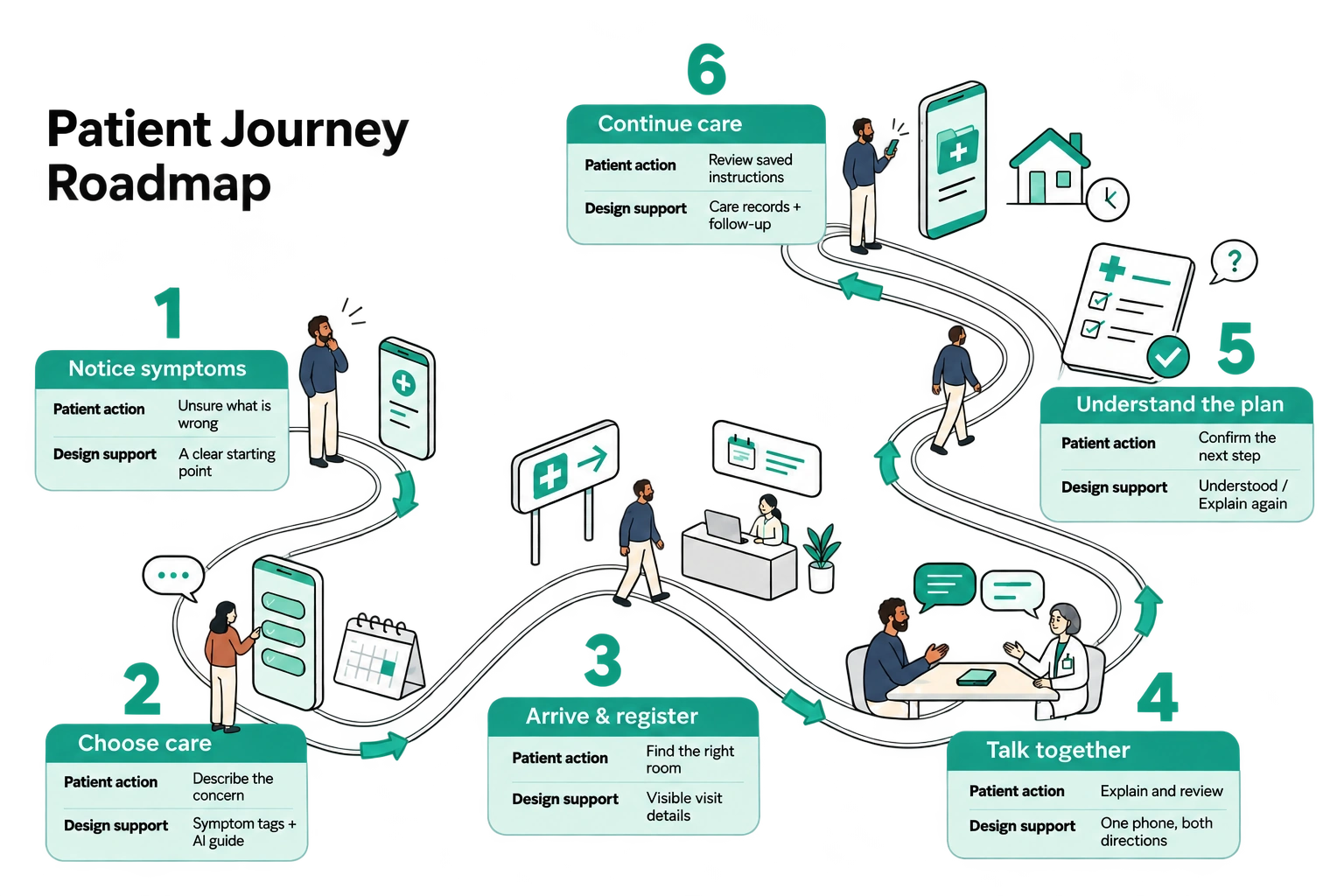
User Journey

From the first symptom to care at home.

The journey map links each moment of uncertainty to a visual support opportunity, from the first symptom to care at home.

A winding illustrated patient journey: notice symptoms, choose care, arrive and register, talk together, understand the plan, and continue care

What the Original Journey Revealed

Emotions change at every handoff.

The original research followed seven moments in a hospital visit. These are qualitative observations, not measured emotion scores.

  1. 01

    Feel unwell

    Anxious

    Limited information makes it hard to understand what is wrong.

  2. 02

    Travel to the hospital

    Uncertain

    Finding transport or using ride-hailing adds uncertainty before arrival.

  3. 03

    Register successfully

    Mixed

    Asking for help creates anxiety; successful registration brings relief.

  4. 04

    Talk with doctors

    Frustrated

    Symptoms and medical terms are difficult to express and understand.
  5. 05
    Tests and diagnosis

    Strained

    Understanding the test process and communicating remain difficult.

  6. 06

    Receive treatment advice

    Relieved

    A solution and medication make the next step feel clearer.

  7. 07

    Pay and leave

    Uneasy

    Discomfort can make it harder to ask for help again at payment.

01 / Communication barriers

Being present does not guarantee being understood.

Patients can struggle to express symptoms, while clinicians may struggle to understand their meaning.

Opportunity

Use sign, text, and visual explanations for medical language, with access to hospital interpreters when needed.

02 / Discrimination and prejudice

Respect shapes the experience of asking for help.

Limited understanding of Deaf needs can create negative attitudes, anxiety, and distrust.

Opportunity

A visible Deaf mode could alert staff to communication needs, supported by trained guides and accessible assistance.

03 / Support and inclusion

Support must continue beyond one conversation.

Gaps in navigation, information, and follow-up can leave people feeling excluded.

Opportunity

Explore hospital navigation and transport links, prescription refills and home delivery, and medication reminders.

Source: original Deaf Connect patient journey synthesis ↗Navigation, transport, interpreter, and prescription integrations are research opportunities, not implemented-service claims.

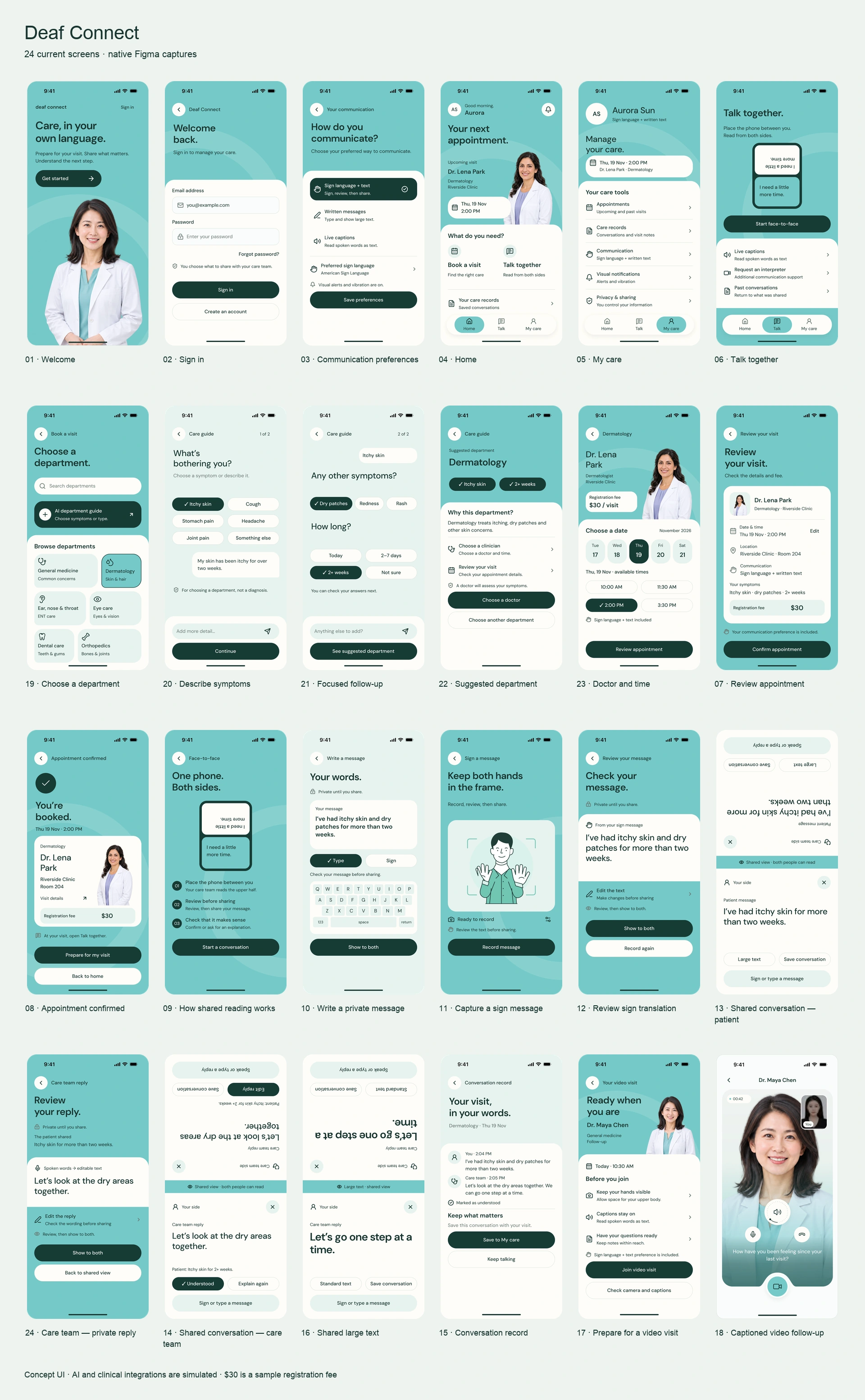
Complete UI / 24 Screens

Every screen has a role in the care journey.

The complete concept is shown below in four functional groups, from the first visit to follow-up care. The pages present designed interface states; AI suggestions, sign recognition, account, and clinical integrations are simulated.

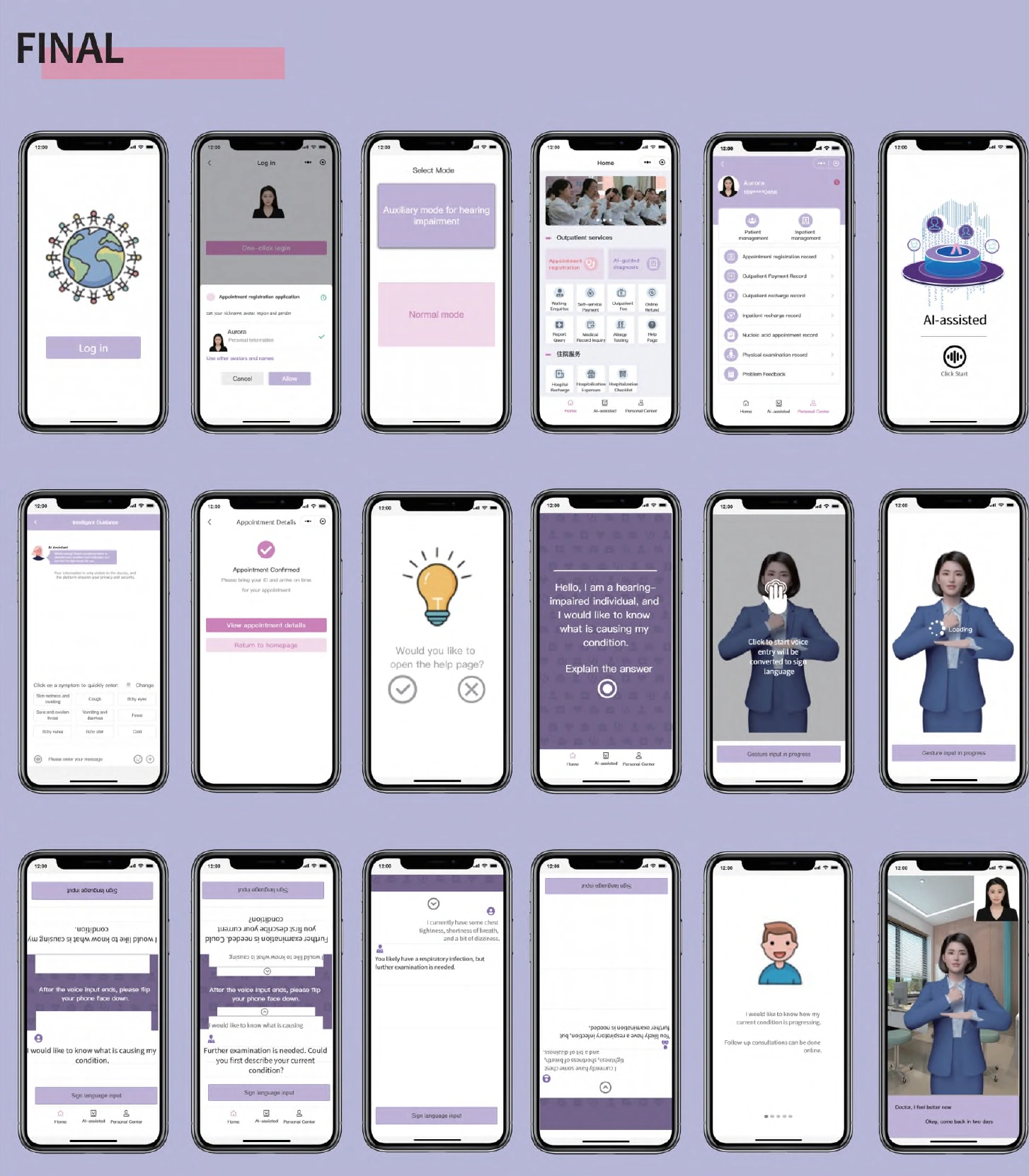
Design Evolution / Before & After

Designed independently first. Refined with AI later.

My independent work. I conducted the research and designed the care journey, core flows, two-sided reading concept, and 18 original UI screens.

AI-assisted refinement. I used AI to explore the mint visual direction and refine hierarchy, spacing, contrast, readability, and booking-fee states. I directed and reviewed each iteration.

Before: my original Home and two-sided conversation interfaces, cropped directly from the original project PDF
Before · Independent design
Home & two-sided conversation · open the original 18-screen board
After: the matching Home and two-sided conversation interfaces with the refined mint visual system and clearer information hierarchy
After · AI-assisted refinement
The same core concept, with clearer presentation · open the current 24-screen board

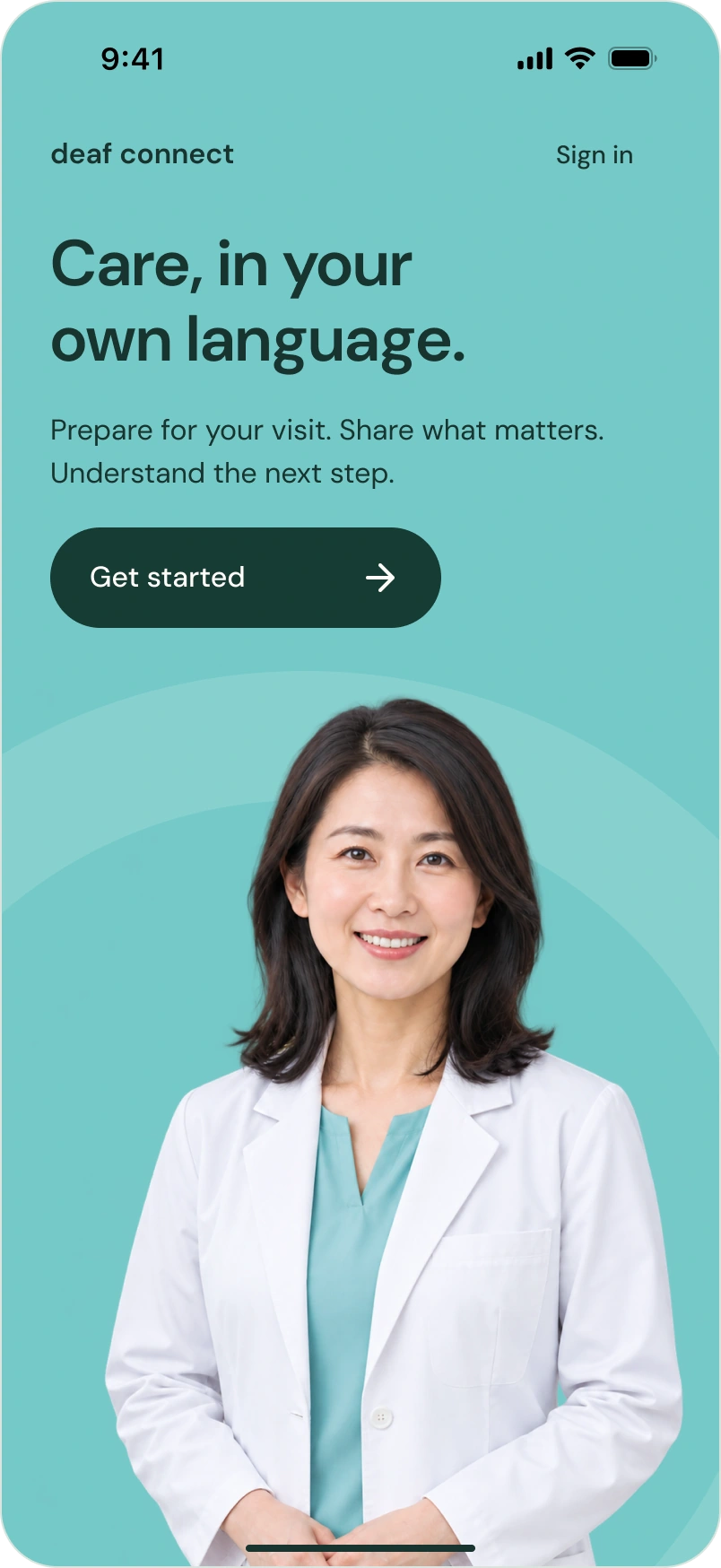
01 / Getting Started

Set the communication preference before the visit.

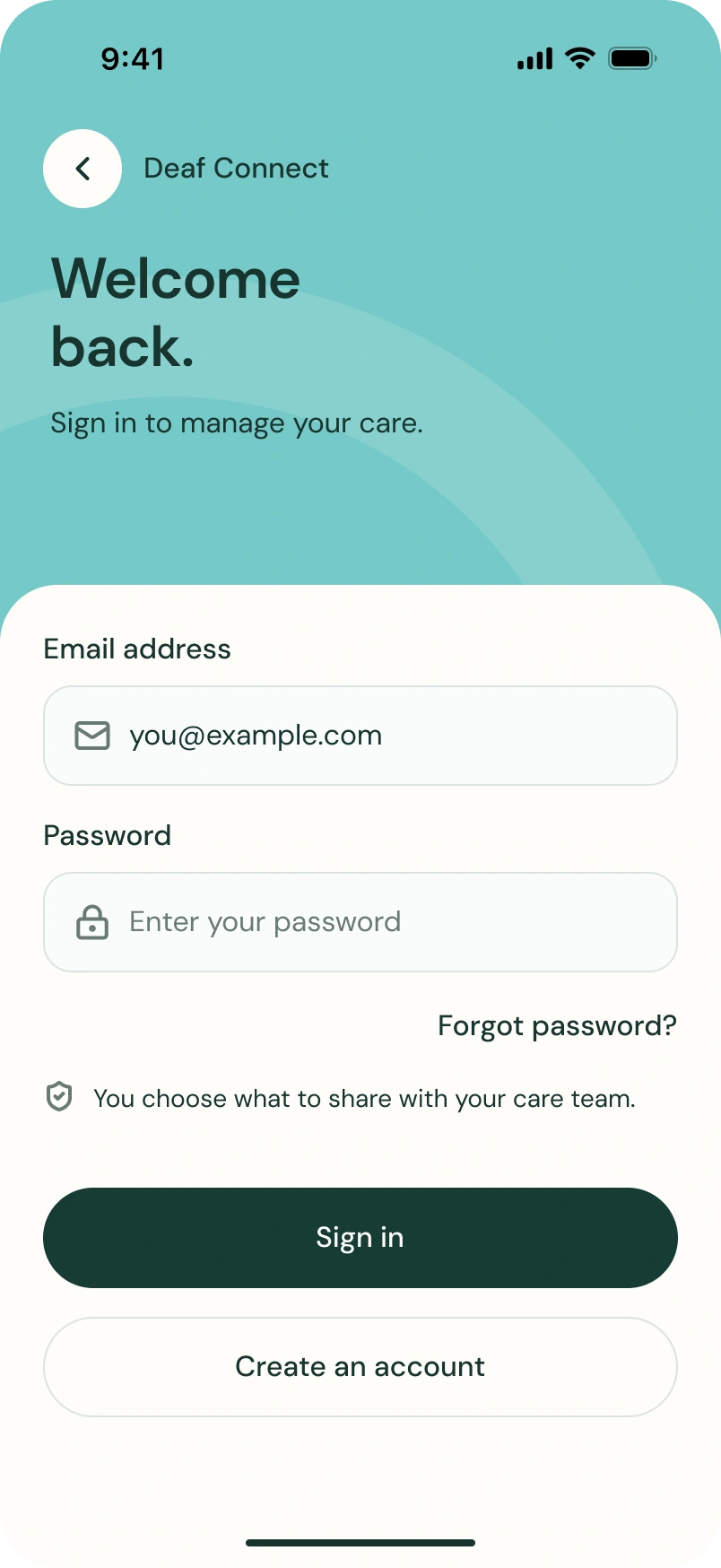
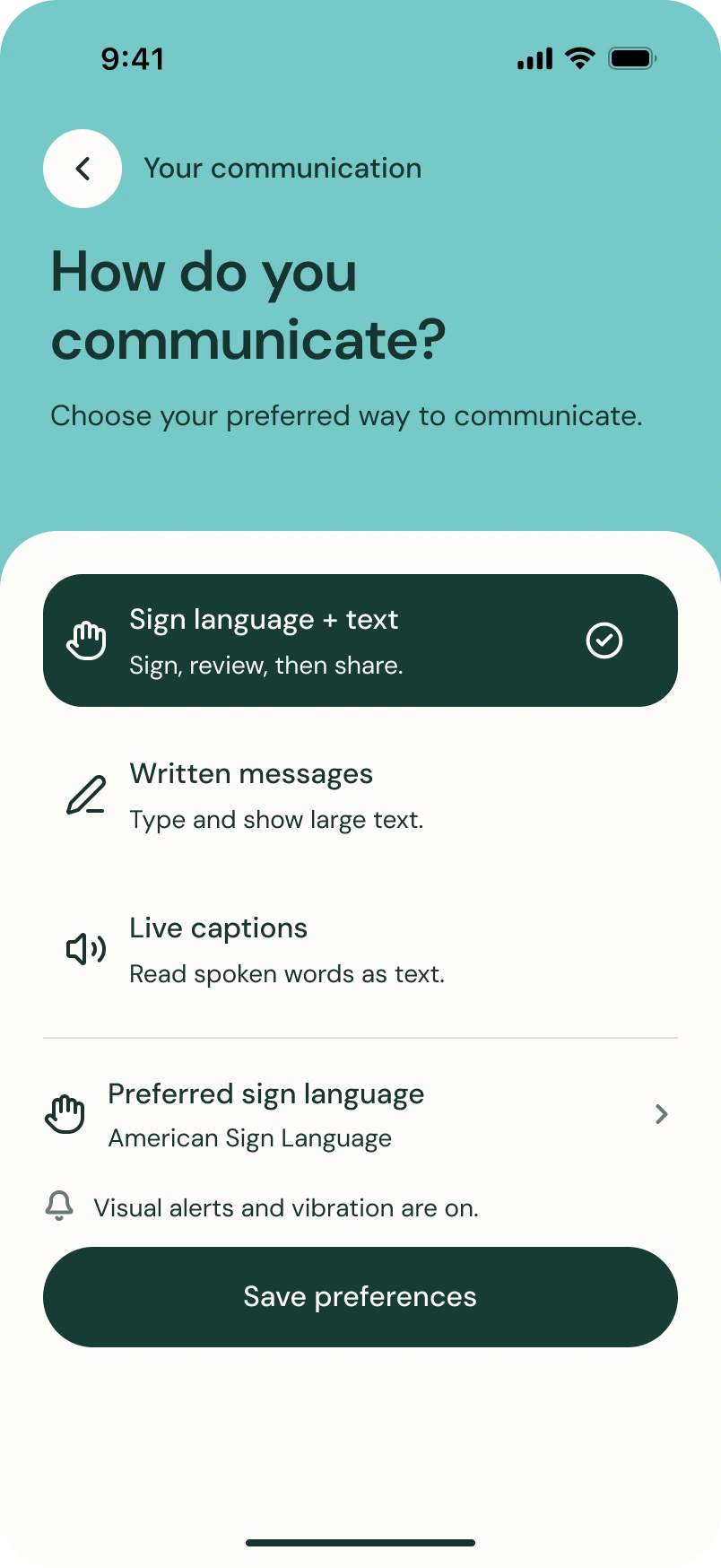
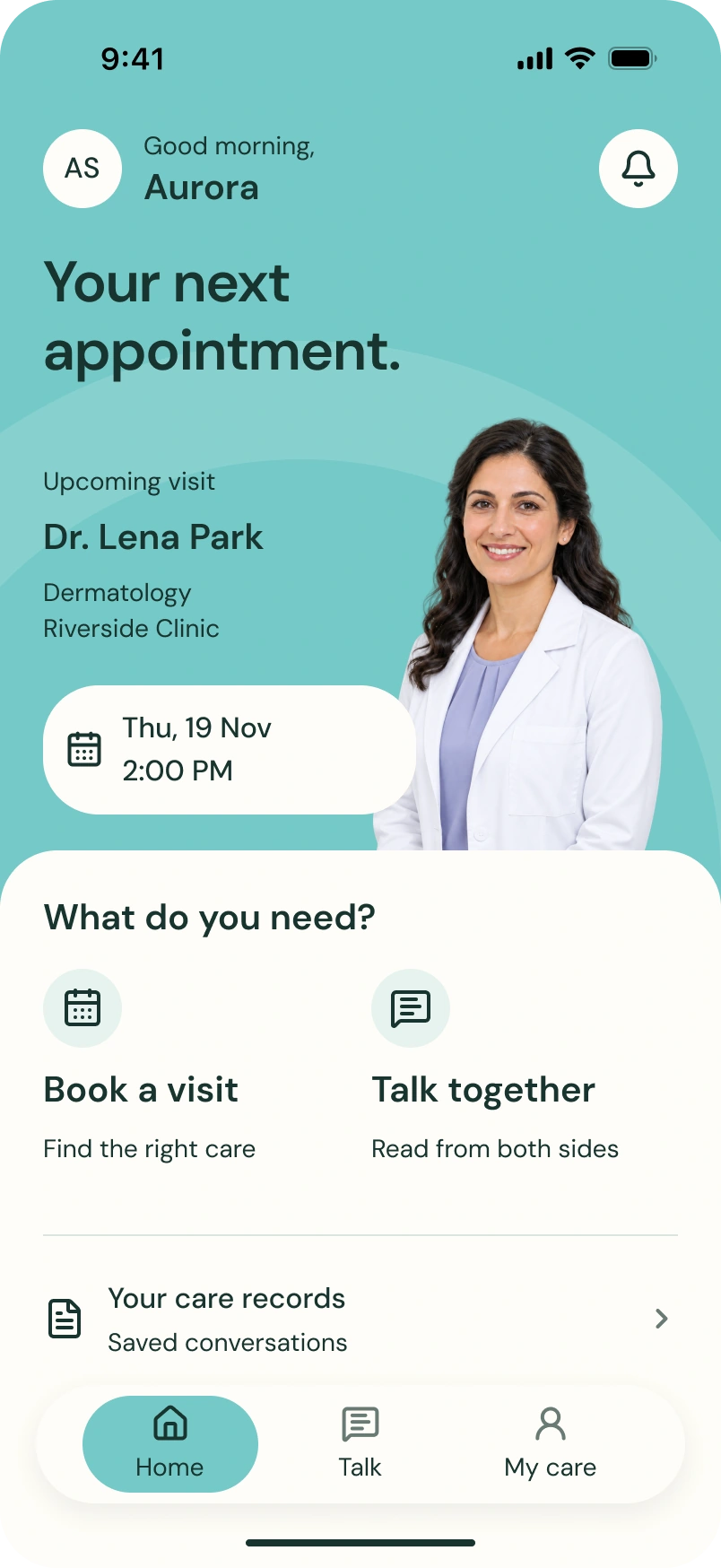
Welcome and sign-in introduce the concept. Communication preferences establish how the patient wants to interact, and Home brings the next visit, AI guide, Talk, and care records into one entry point.

These screens make the available support visible early, rather than waiting for a communication problem at the hospital.

Deaf Connect concept screen 01: Welcome
01Welcome
Deaf Connect concept screen 02: Sign in
02Sign in
Deaf Connect concept screen 03: Communication preferences
03Communication preferences
Deaf Connect concept screen 04: Home
04Home

02 / Booking and AI Guidance

Move from a concern to a reviewed appointment.

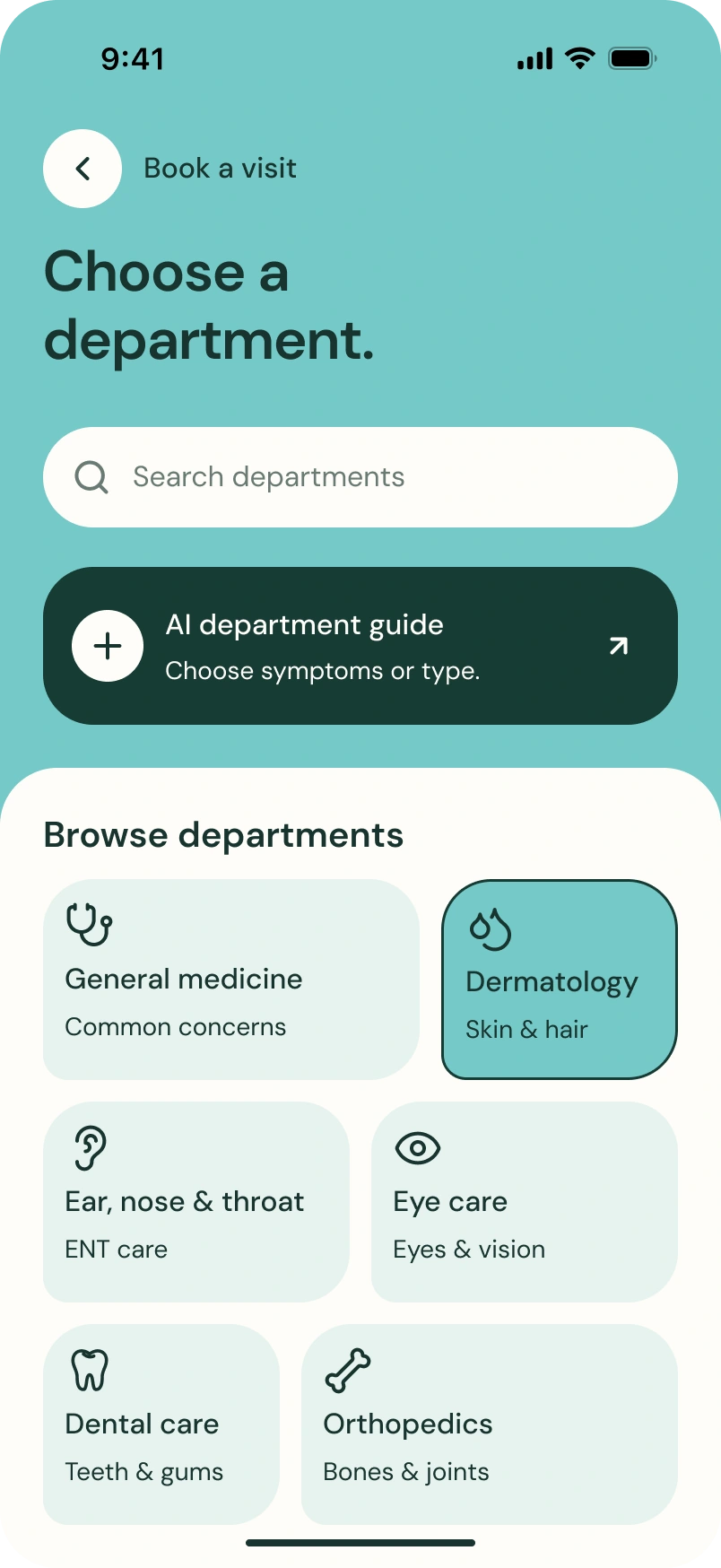
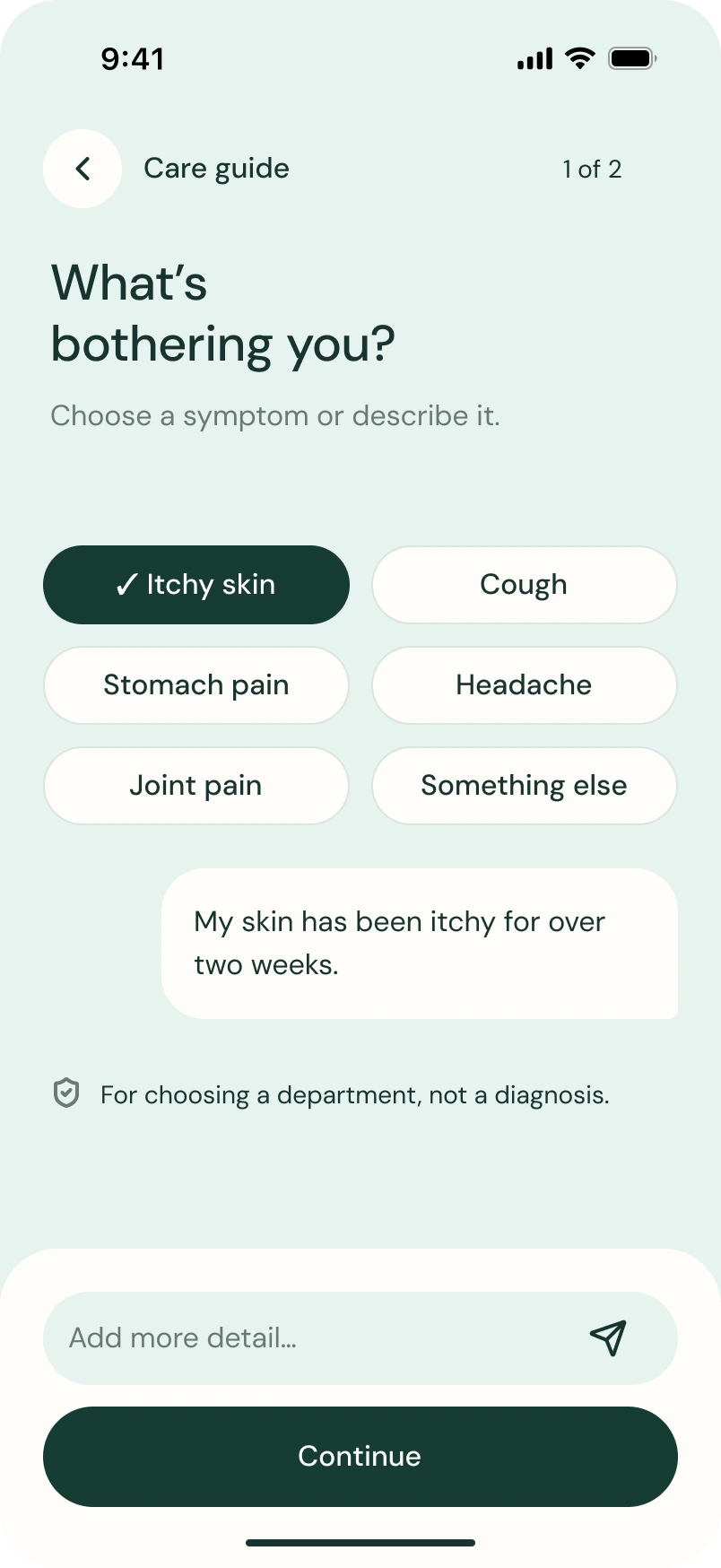
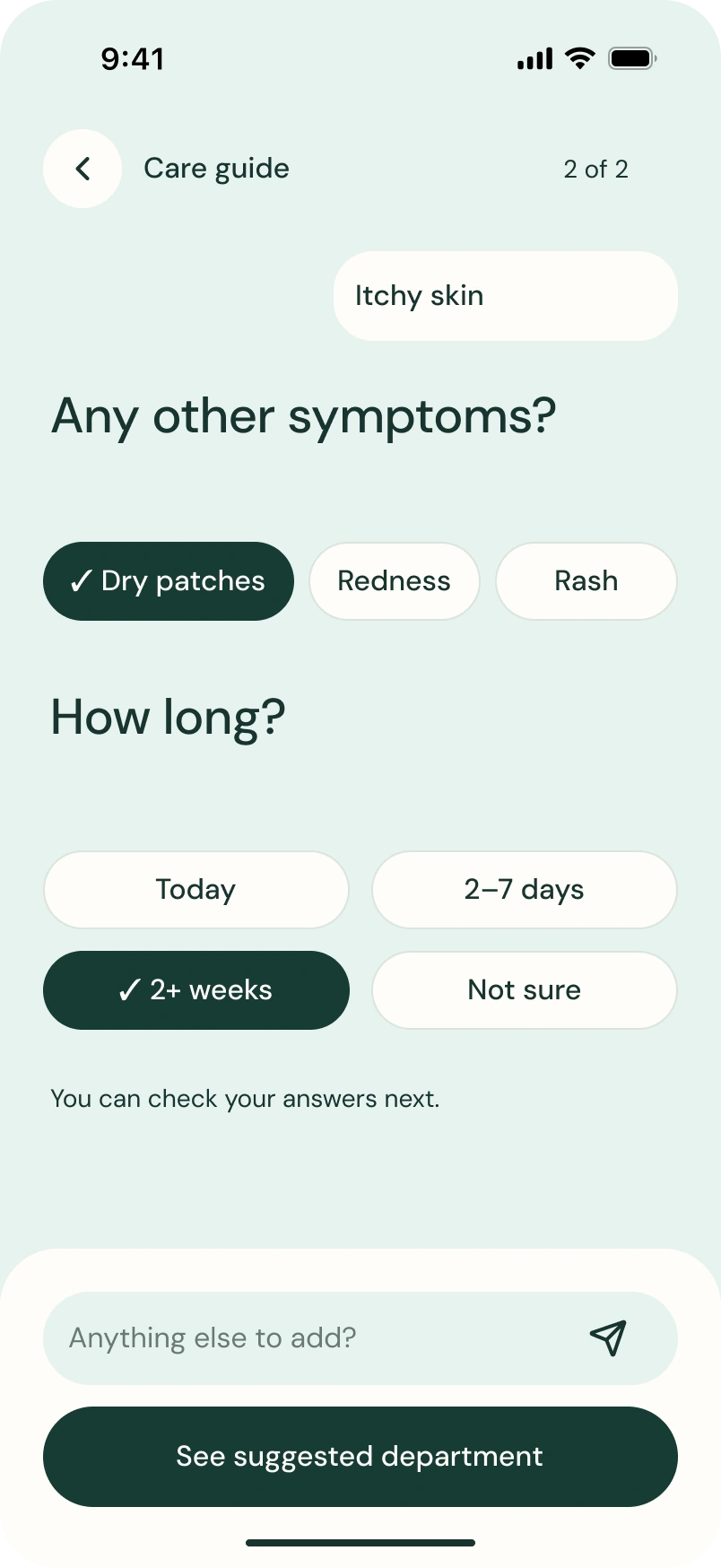
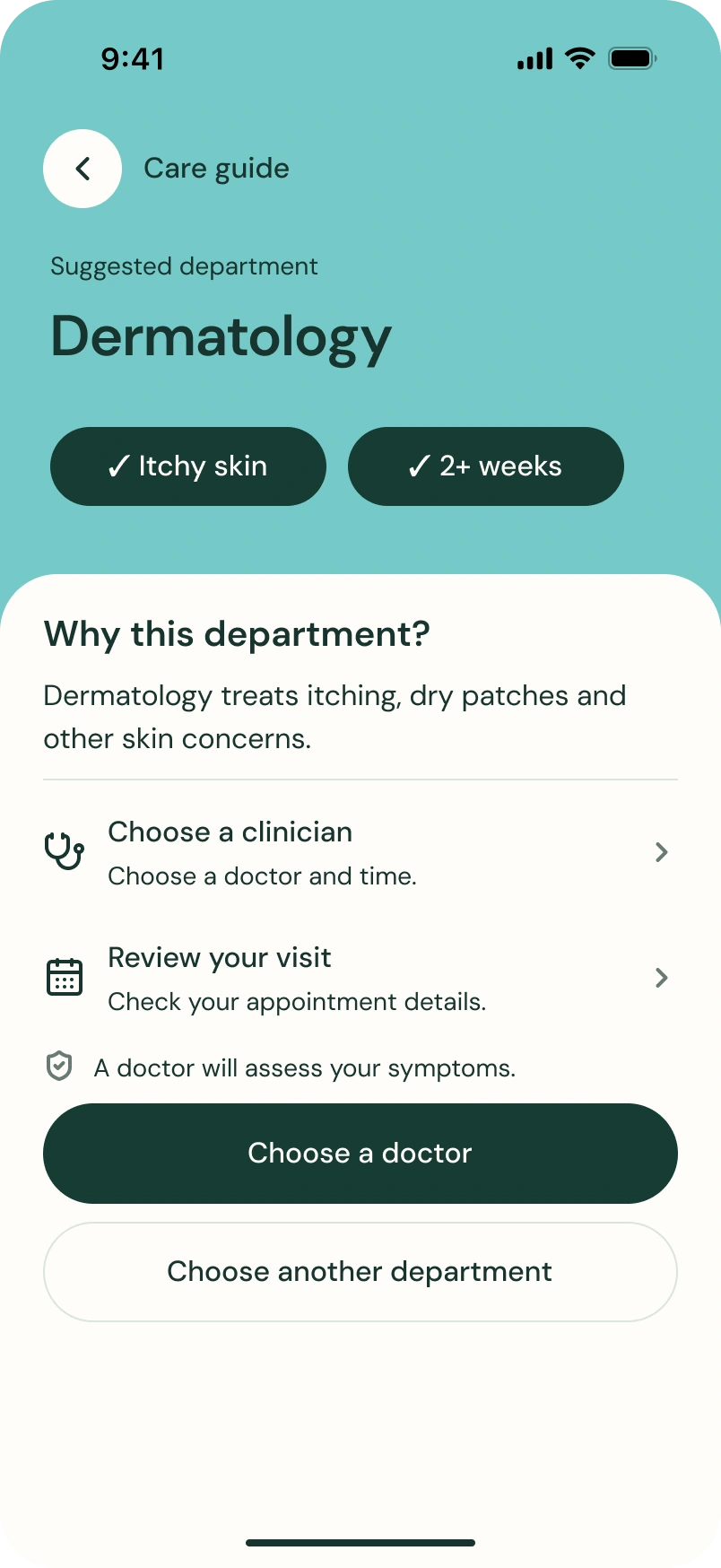
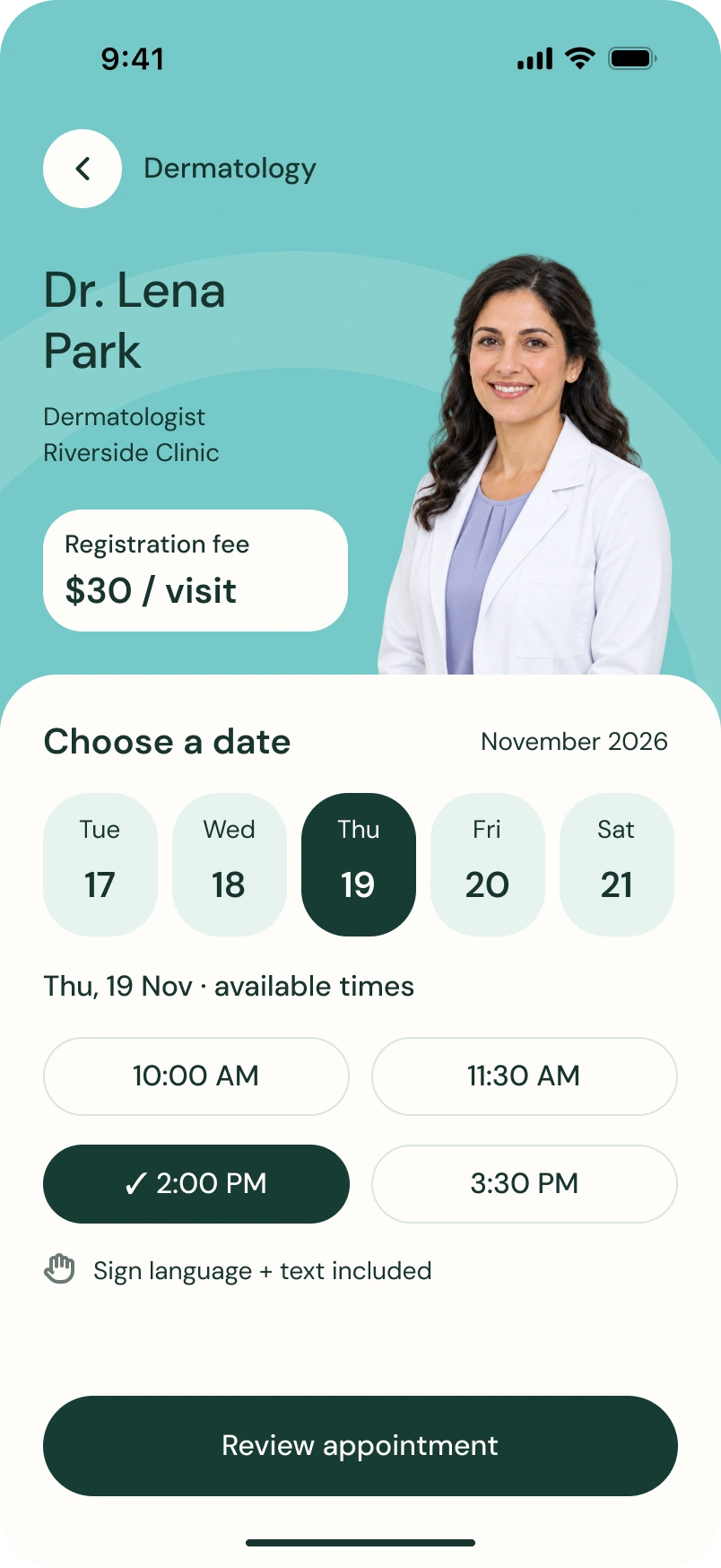
Patients can choose a department directly or start with familiar symptom tags and a written concern. Focused follow-up questions capture what they notice and how long it has been happening, before a department suggestion leads to choosing a doctor and time.

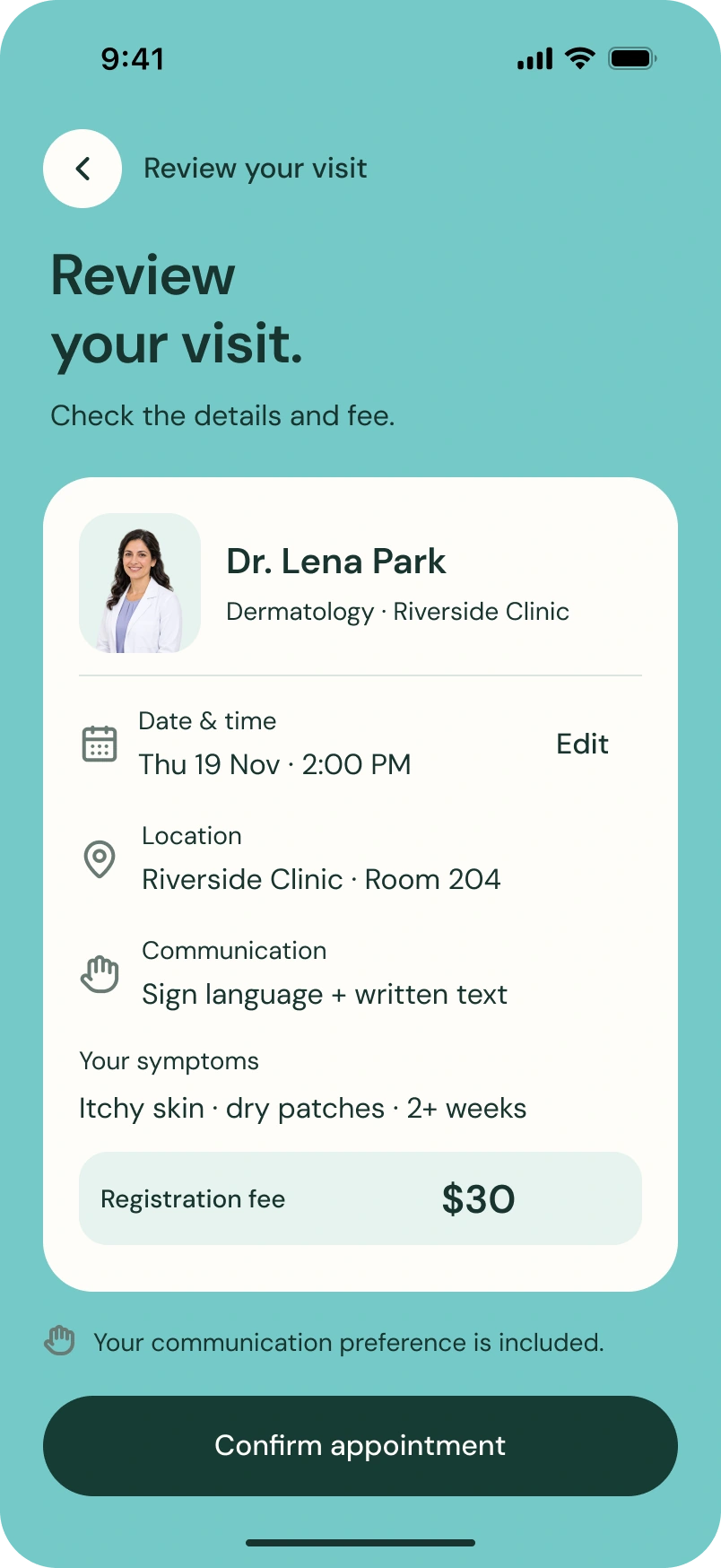
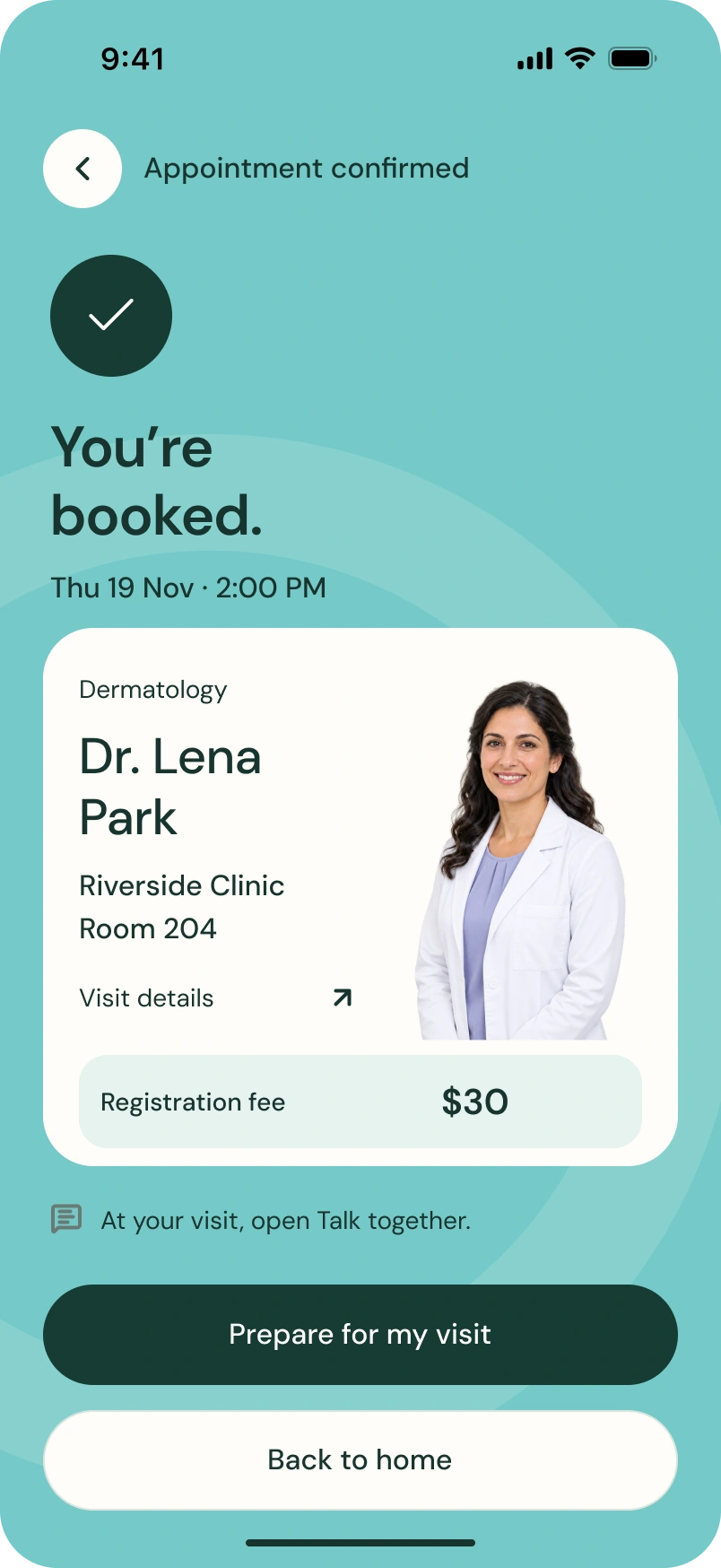
The suggestion is a starting point for booking. Review and confirmation pages collect the clinician, date, time, registration fee, and communication preference, so the patient can check the visit details before proceeding and carry those needs into the appointment. The $30 registration fee shown is a concept example.

Deaf Connect concept screen 19: Choose a department
19Choose a department
Deaf Connect concept screen 20: AI care guide · symptoms
20AI care guide · symptoms
Deaf Connect concept screen 21: AI care guide · follow-up
21AI care guide · follow-up
Deaf Connect concept screen 22: AI department suggestion
22AI department suggestion
Deaf Connect concept screen 23: Choose doctor and time
23Choose doctor and time
Deaf Connect concept screen 07: Review booking
07Review booking
Deaf Connect concept screen 08: Appointment confirmed
08Appointment confirmed

03 / My Interaction Design

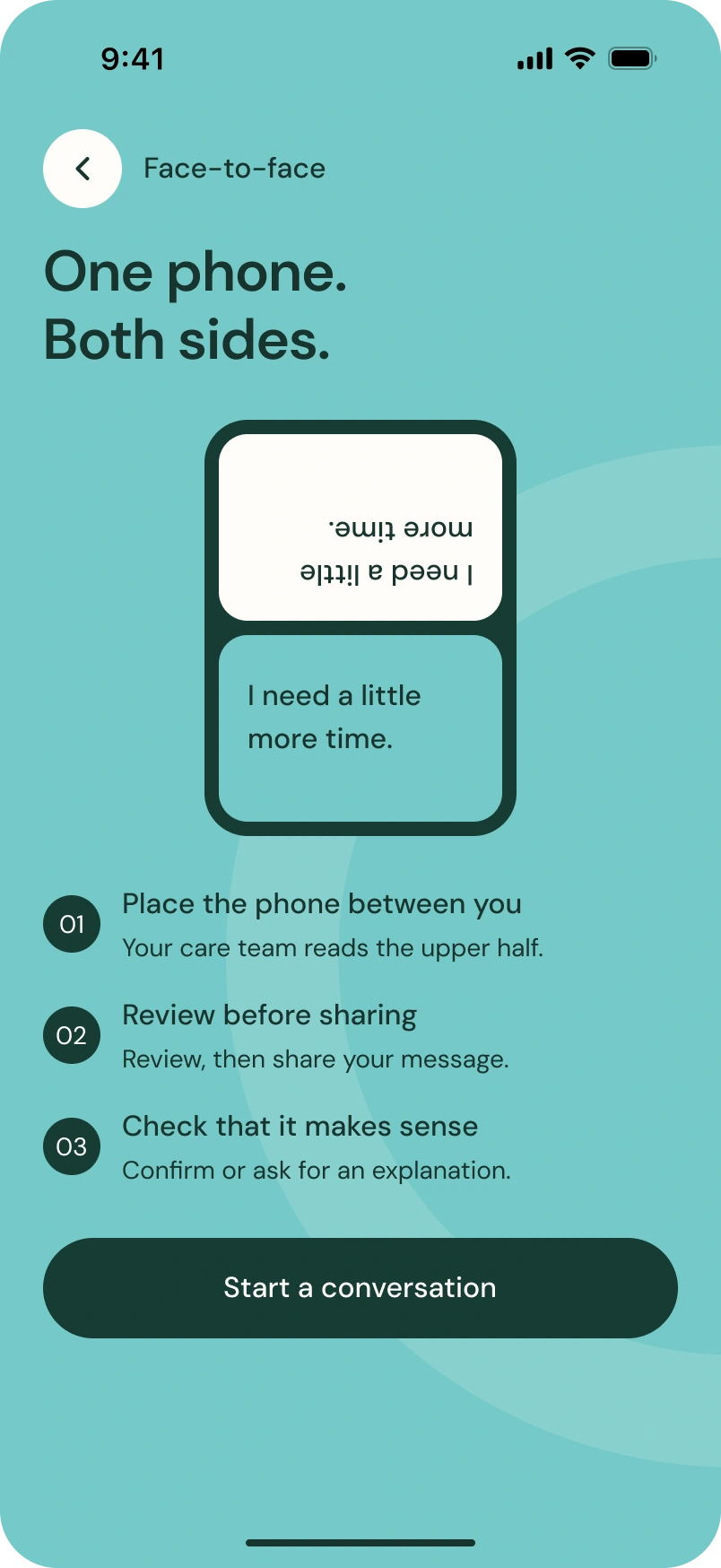
One phone. Two readers.

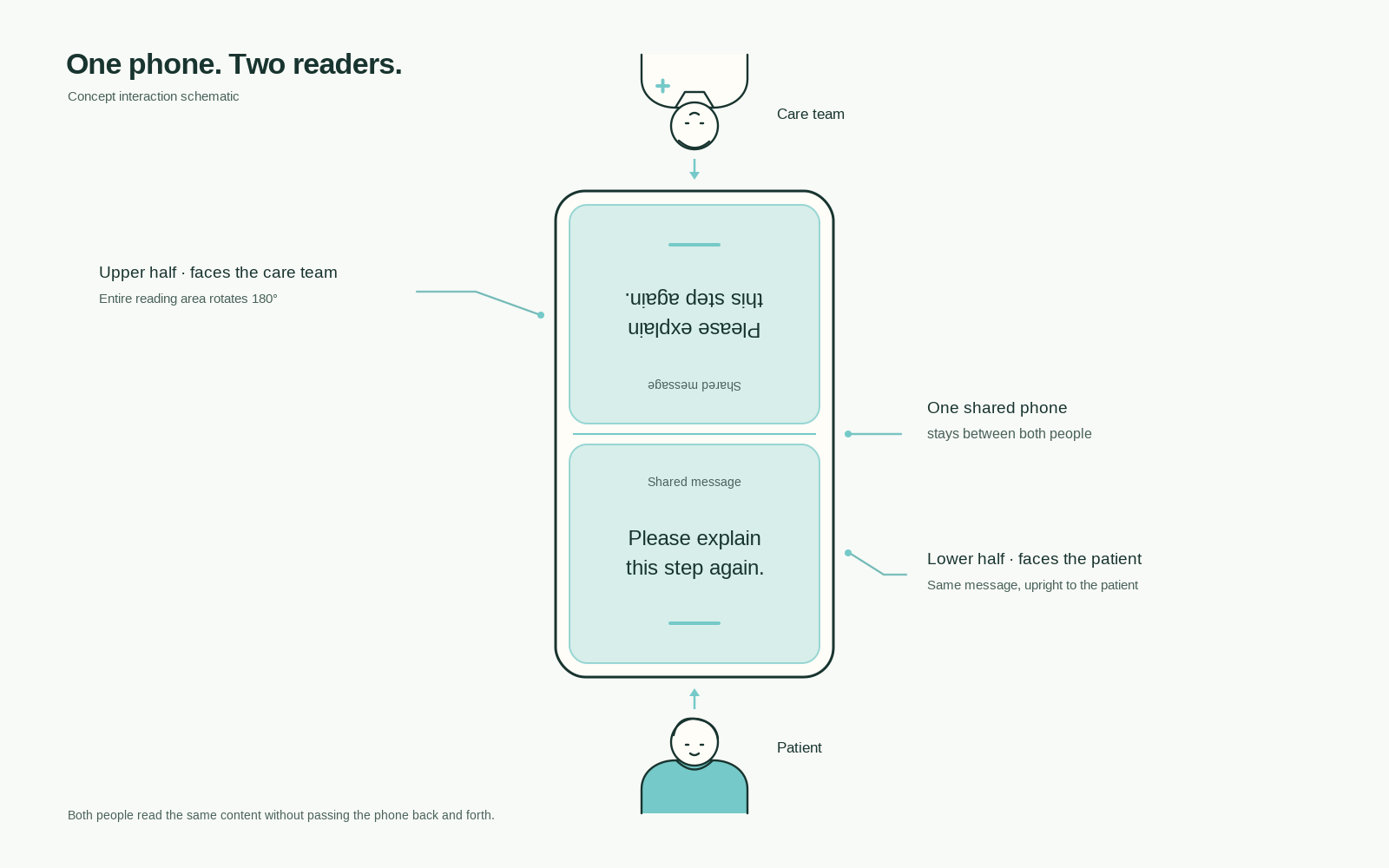
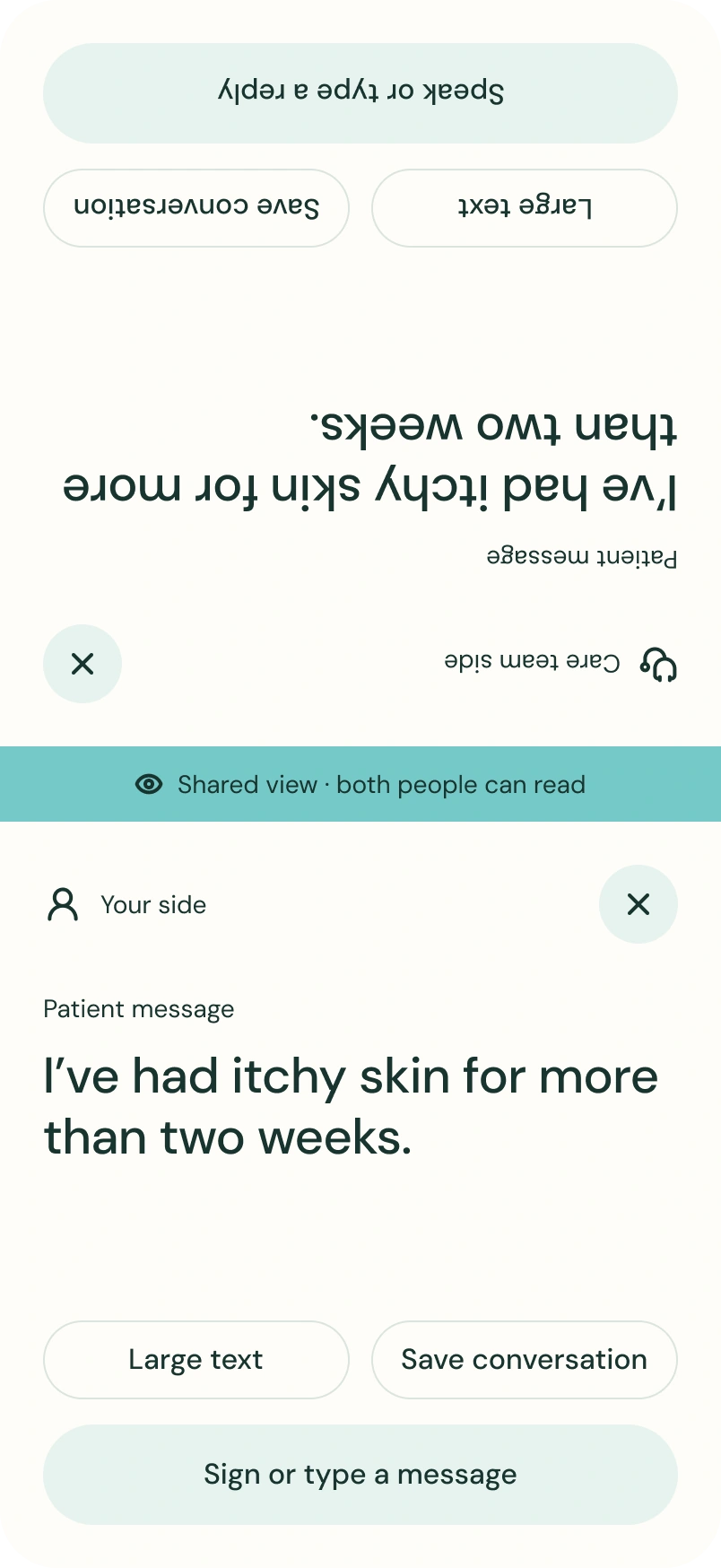
Passing the phone back and forth can interrupt a consultation. I divided one screen into two reading areas, rotating the upper half 180° so each person reads from their own side.

I created this interaction in my independently designed first version. Its aim is fewer device handoffs and a shared reference during the conversation; later AI assistance refined its visual presentation.

  1. 01
    Place once. Keep the phone between both people.
  2. 02
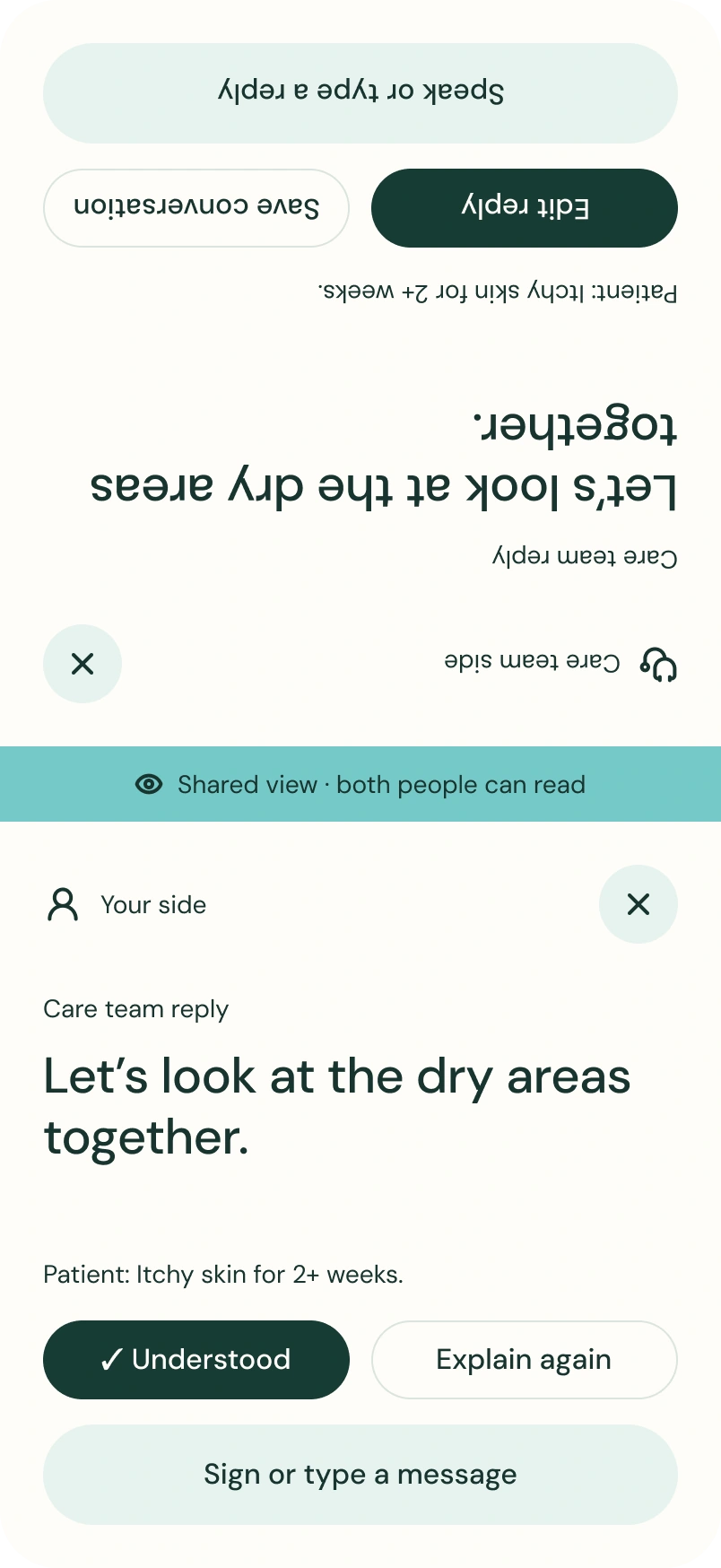
    Read from your side. The care team and patient see the same message.
  3. 03
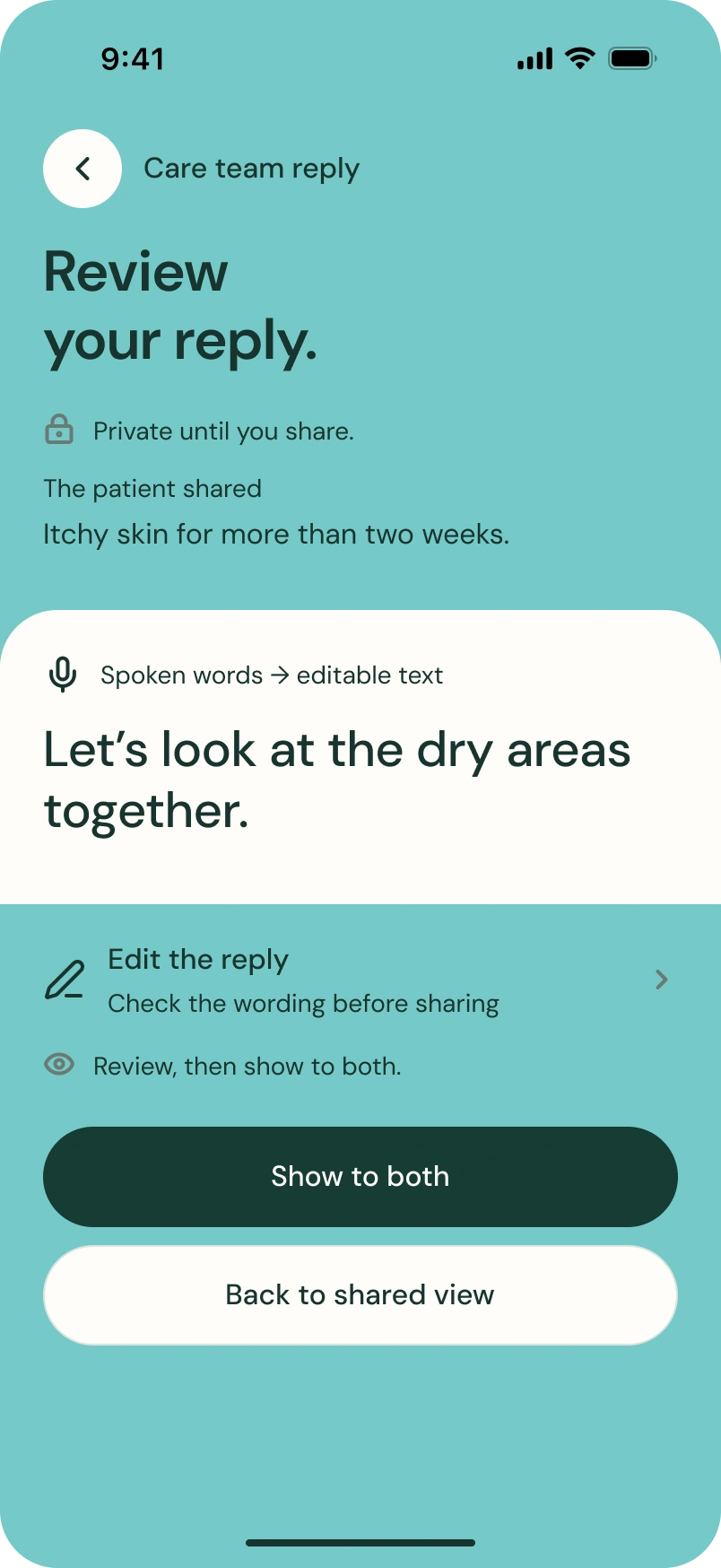
    Review, then share. Check the message and confirm understanding.
Interaction schematic: the phone sits between the care team and patient. Its upper reading area rotates 180 degrees toward the care team, and its lower area faces the patient. Both read the same message without exchanging the phone.
Original interaction concept · one shared phone · the upper reading area rotates 180° toward the care team
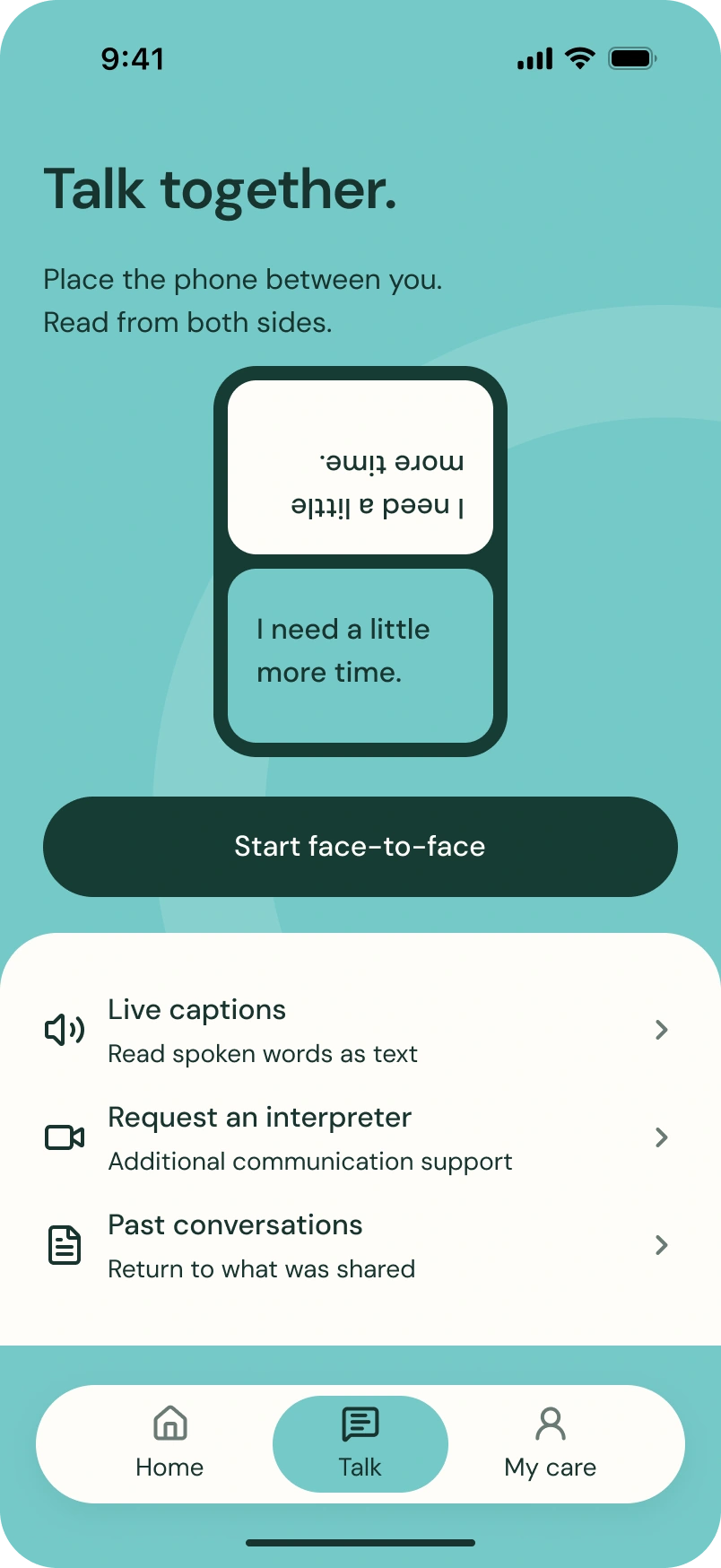
Deaf Connect concept screen 06: Talk
06Talk
Deaf Connect concept screen 09: How shared reading works
09How shared reading works
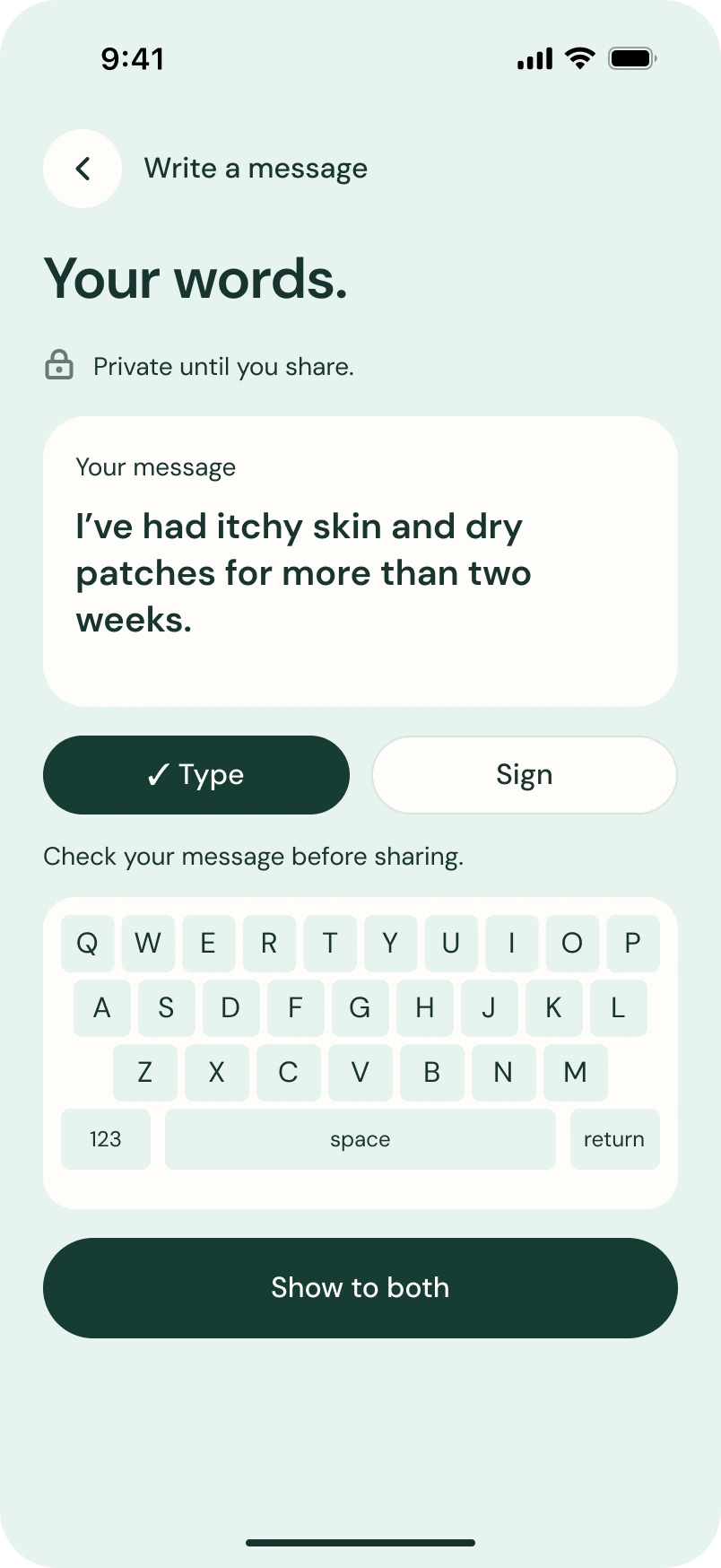
Deaf Connect concept screen 10: Write a message · private
10Write a message · private
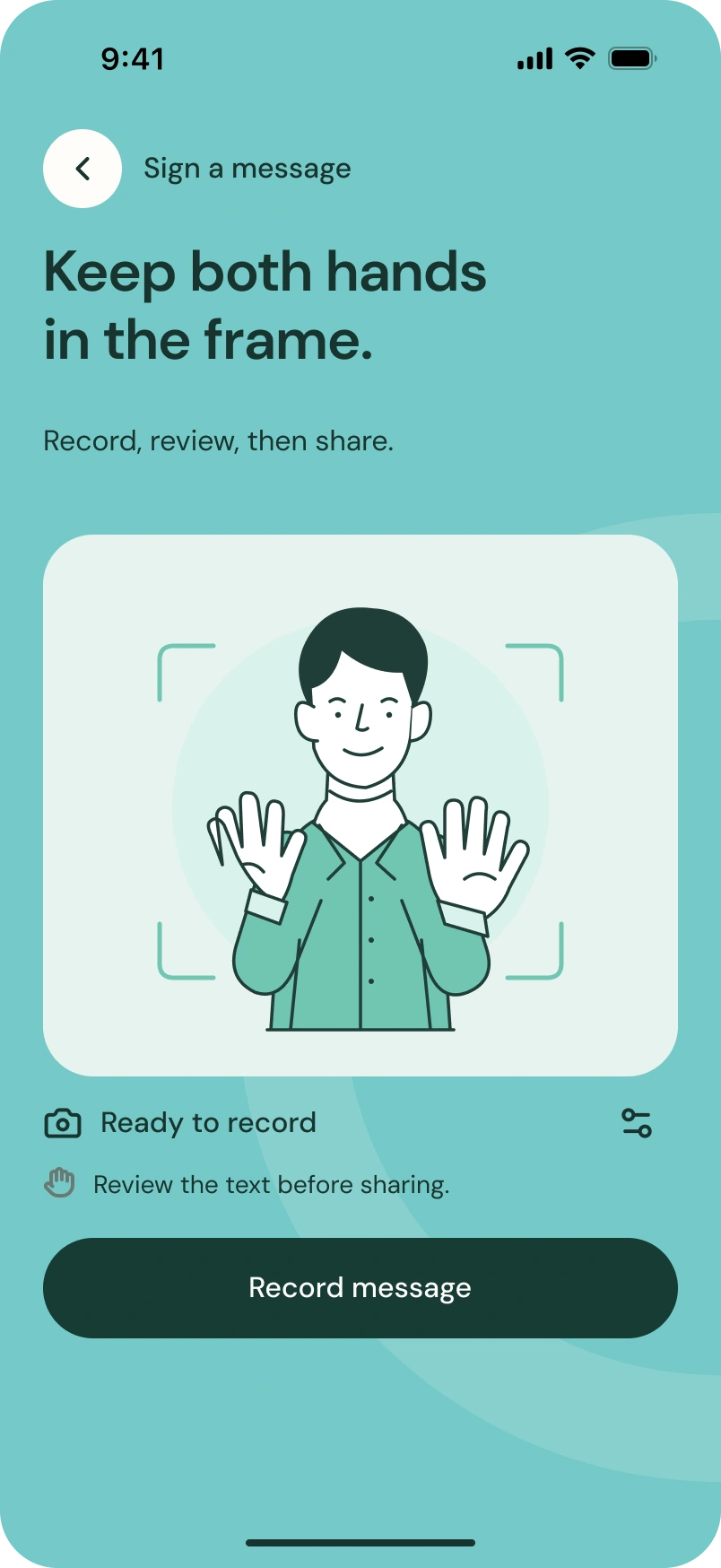
Deaf Connect concept screen 11: Capture a sign message
11Capture a sign message
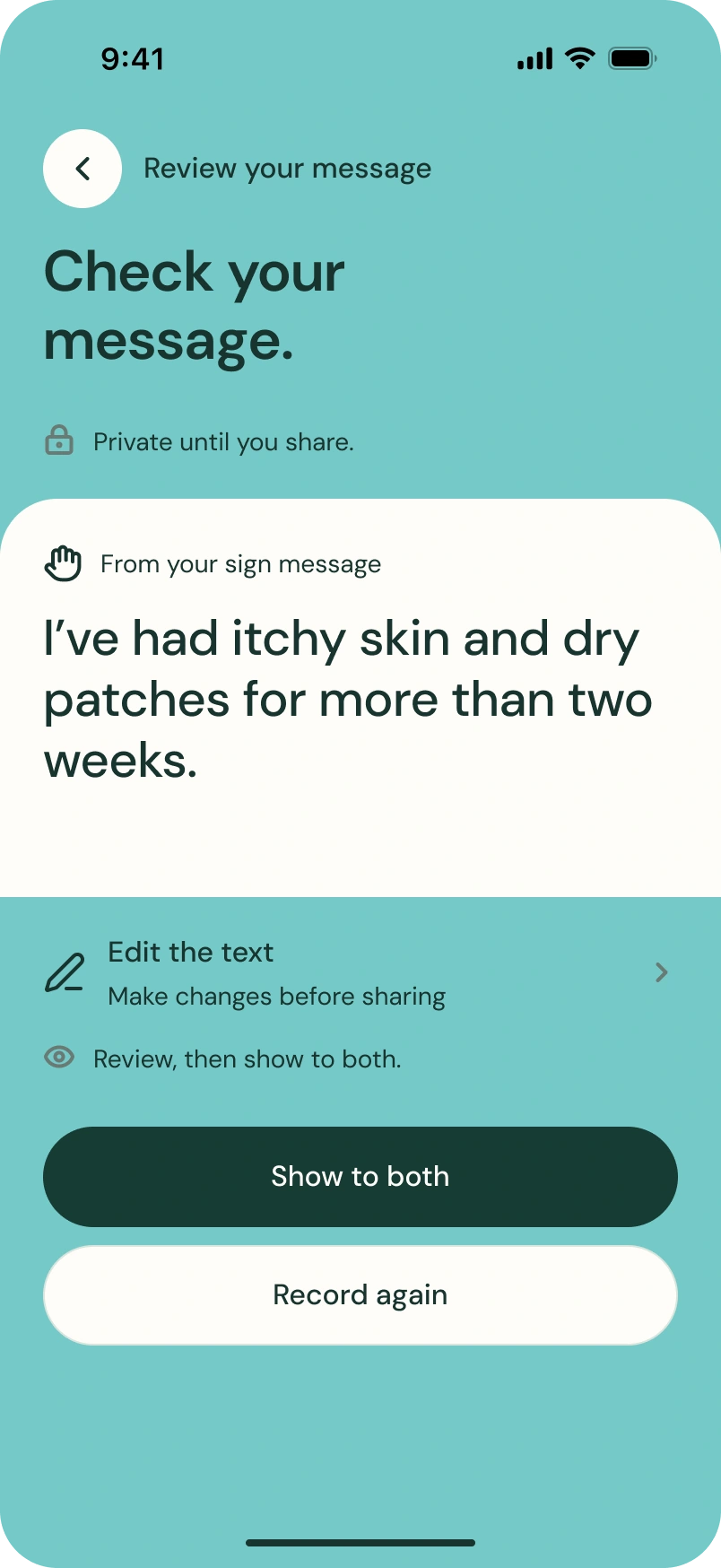
Deaf Connect concept screen 12: Review sign translation
12Review sign translation
Deaf Connect concept screen 13: Shared conversation · patient
13Shared conversation · patient
Deaf Connect concept screen 24: Care team private reply review
24Care team · private reply
Deaf Connect concept screen 14: Shared conversation · care team
14Shared conversation · care team
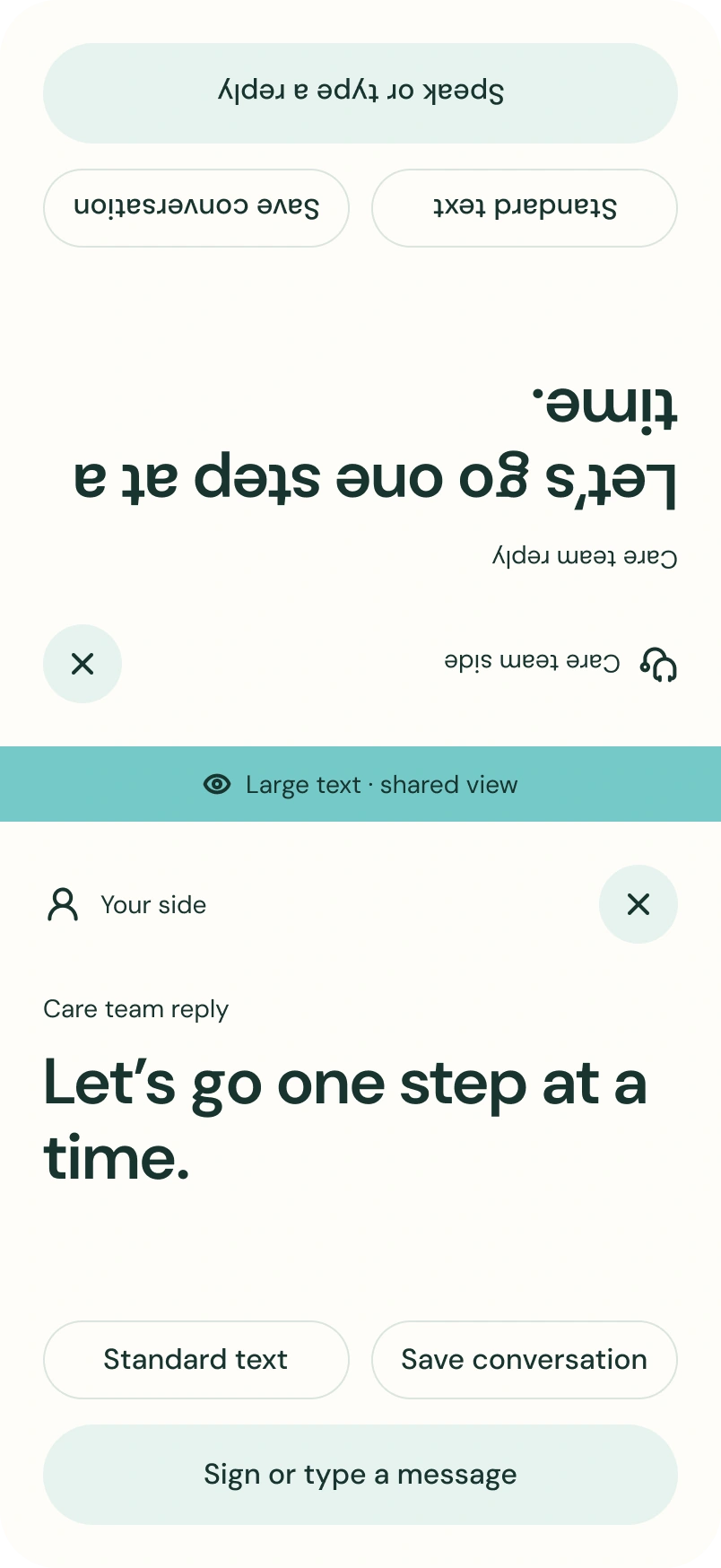
Deaf Connect concept screen 16: Shared large text
16Shared large text

04 / Care Records and Follow-Up

Keep the visit context available after the conversation.

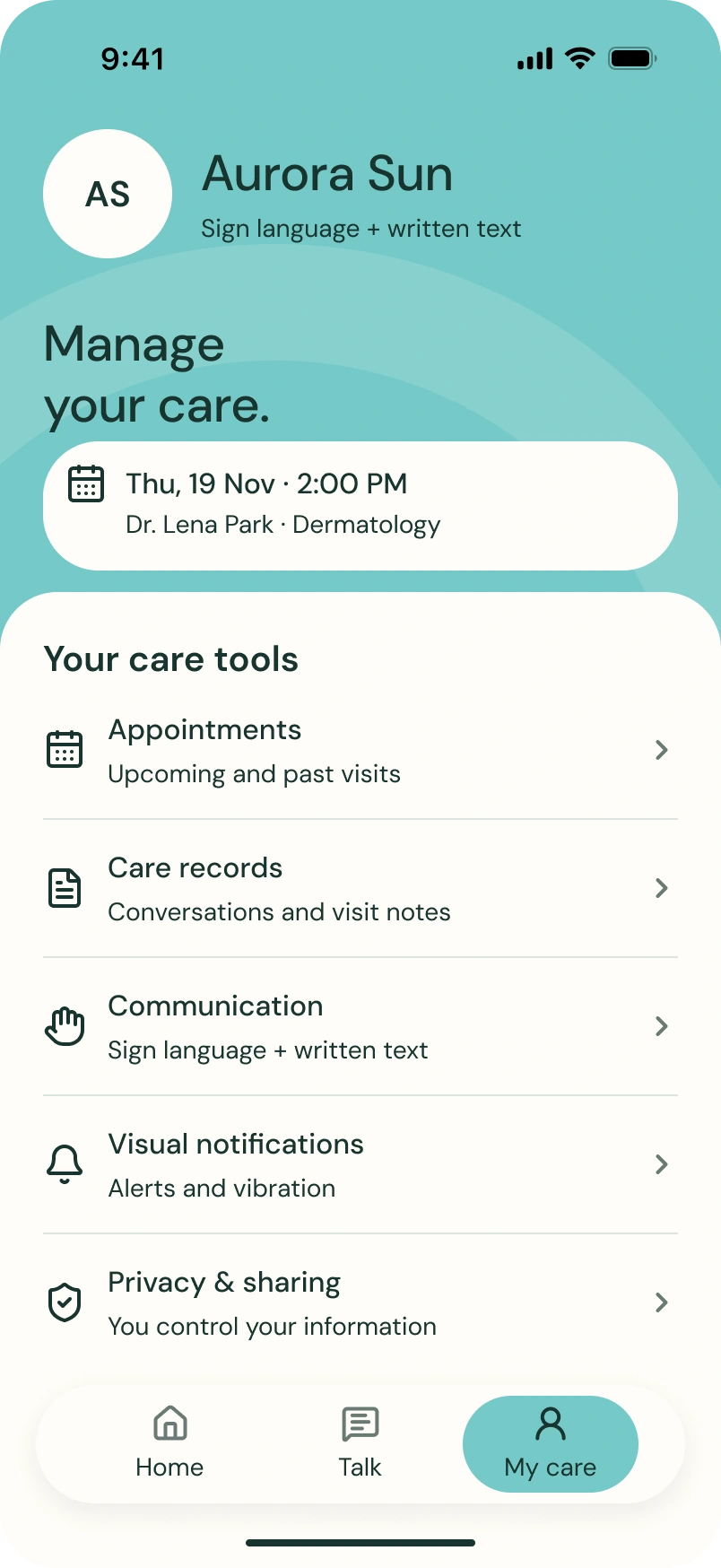
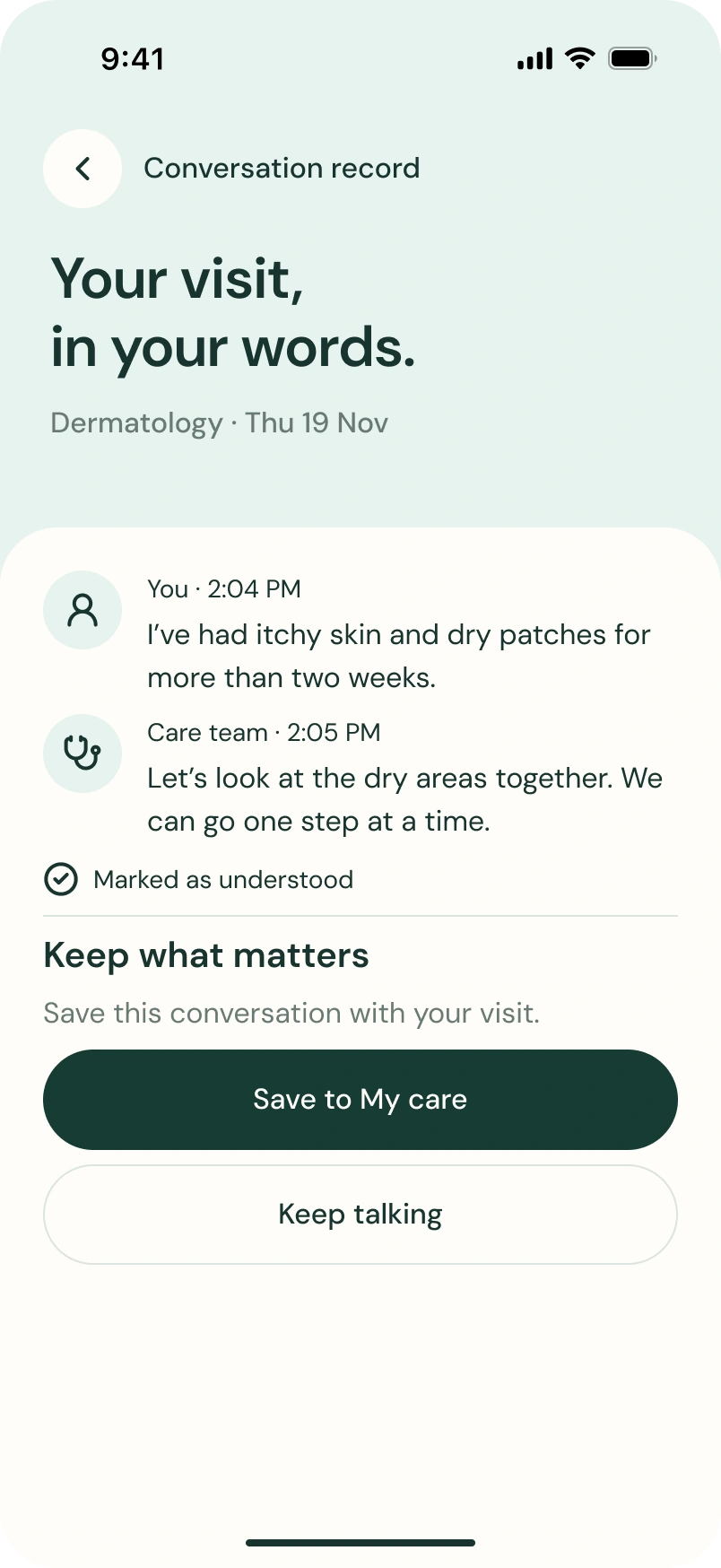
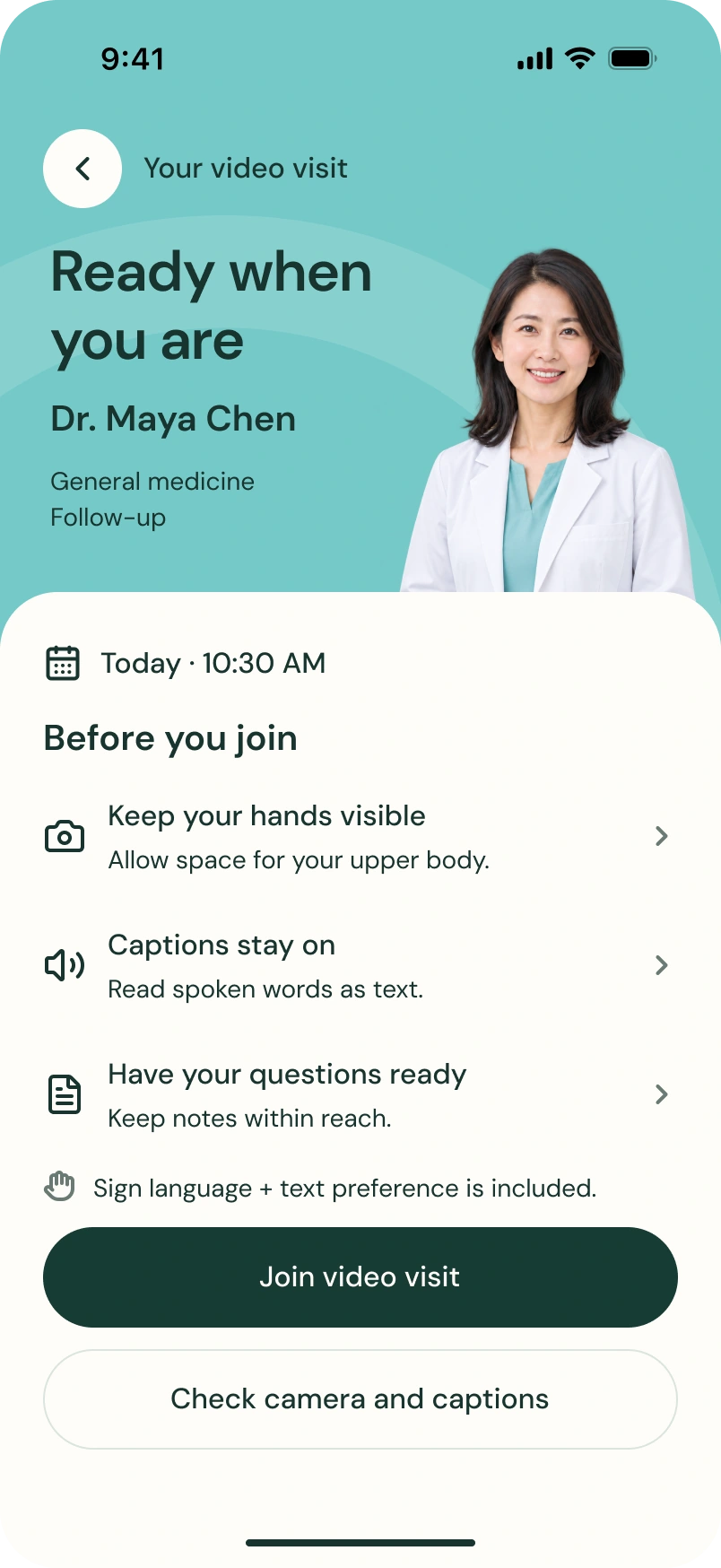
My Care brings appointment information and retained conversation context together. The conversation record provides a place to revisit what was shared, while the preparation screen explains the next video visit.

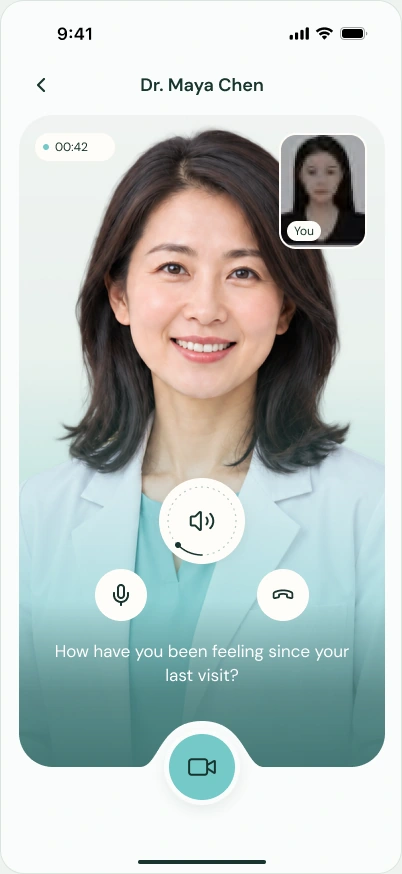
The captioned follow-up concept keeps the conversation readable during a remote session. These screens describe the intended care experience rather than a deployed clinical service.

Deaf Connect concept screen 05: My Care
05My Care
Deaf Connect concept screen 15: Conversation record
15Conversation record
Deaf Connect concept screen 17: Prepare for a video visit
17Prepare for a video visit
Deaf Connect concept screen 18: Video follow-up
18Video follow-up

The Whole System

One visual language across all 24 screens.

The complete Figma board brings onboarding, booking, shared communication, and follow-up into a single view.

Contact sheet of all 24 current Deaf Connect native Figma screen captures
Full design overview · 24 native Figma screen captures · open image for a closer view

Reflection & Next Steps

Design for understanding, then test it with the people who rely on it.

What I Learned

Confirmation is part of accessibility.

A readable message is only the start. Patients need control over sharing, a way to correct meaning, and a clear moment to confirm understanding.

What Comes Next

Validate the conversation in context.

Test the two flows with Deaf participants, interpreters, and clinical staff, focusing on language variation, correction, privacy, and comprehension of next steps.