Back

SCADpro × Kohler · UX Research · Connected Home

Kohler Konnect brings personal routines into a shared bathroom.

Katherine wants to fine-tune her shower after tennis. Andrew wants the water on. Our SCADpro team reimagined Kohler Konnect around one question. How can the same bathroom work for both?

Role
UX Researcher · Research team
Scope
Field research, experience design, product roadmap
Team
SCADpro × Kohler
Tools
Figma, FigJam
Timeline
10 weeks · Fall 2026
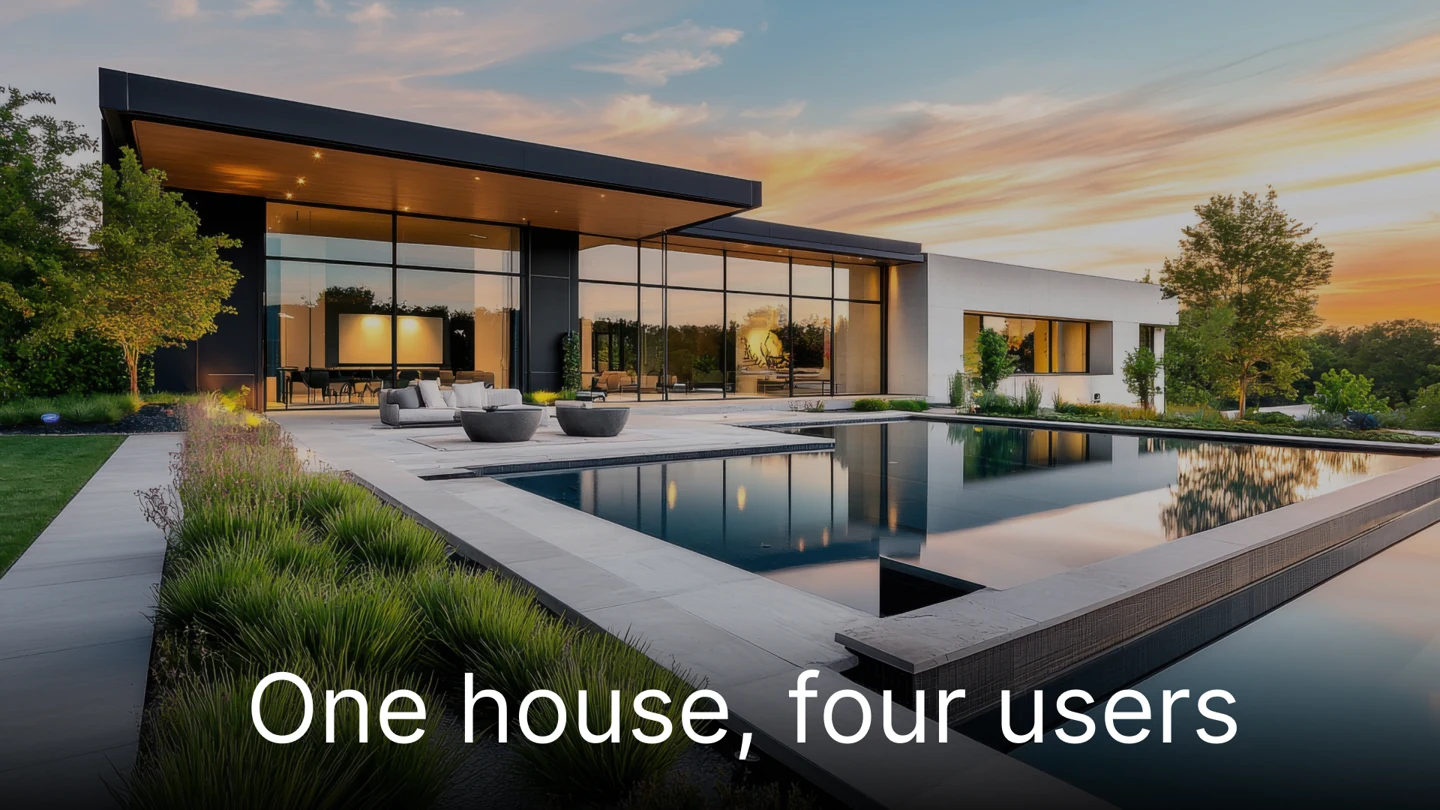
Presentation visual of the shared home used to introduce four household scenarios.
The shared home in the team’s final presentation.

Overview

The Project

Our team designed a mobile concept for a household with connected Kohler fixtures. Customers can control one product, save several settings as a routine, or learn what their fixtures can do. In the team’s definition of wellness, the room, the routine and the person’s state of mind all matter. The screen tour shows the UX team’s final designs.

My Role

I was part of the SCADpro research team, studying everyday routines, connected products and the first-use experience. The concept and presentation were a team effort. The UX team designed the interfaces shown here.

Explore the research

Problem

If the shower already works, what makes opening an app worth the effort?

Research

The fixtures made sense. Where did the app fit?

A customer can turn on a shower without a phone. We went looking for the moments when opening Konnect would give them something extra. We studied how fixtures were explained in person, spoke with prospective customers about their existing habits, and looked at why people returned to products outside the bathroom.

Field research · Atlanta

What a customer learns in the showroom

In Atlanta, the team visited the Kohler showroom and design lab. Showroom consultants described families asking about shower options and handheld fixtures. Steam was easier to explain as part of a spa experience. Konnect itself had much less visibility in those conversations.

The Kohler storefront photographed on the team’s visit to Atlanta.
Atlanta field visit · image from the team’s project materials.
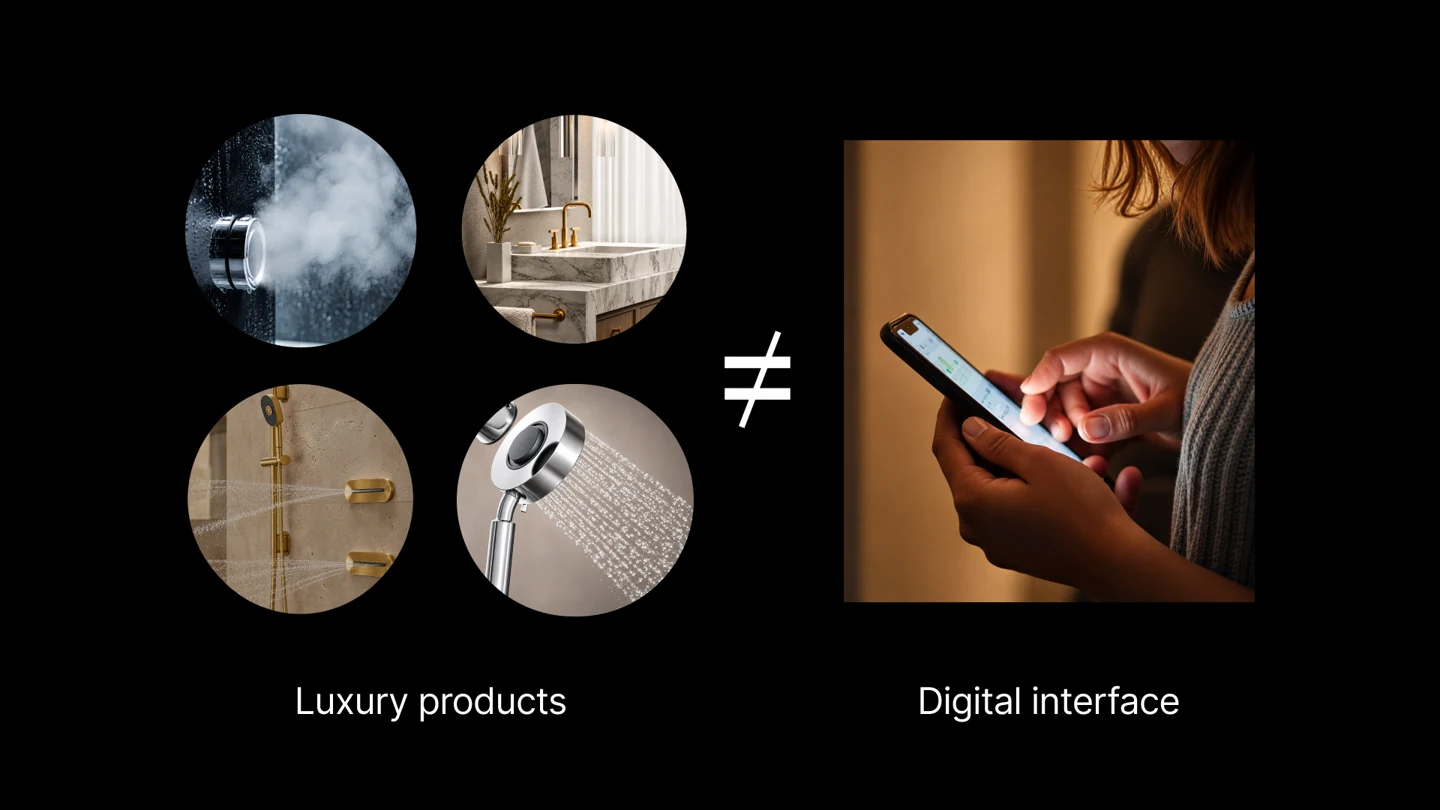
Final team presentation juxtaposes physical fixtures with a digital interface.
The research synthesis as presented to Kohler.

This changed the question we brought back from the visit. If someone already owns an Anthem shower, what could Konnect help them try the very first time they open it?

Primary research

Two reasons to open an app again

We asked prospective customers about the tools they already used, when they gave up on an app, and what kept a habit going. These anonymous excerpts sit beside the parts of the team’s prototype that address each need.

Customer interview

“I'm not going to stick around very long on a website or an app if it takes too long to get to the information I want.”

Prospective customer · SCADpro interview

This participant described dropping an app when finding information took too much effort. That matters in a bathroom, where the physical control is already within reach.

In the final concept

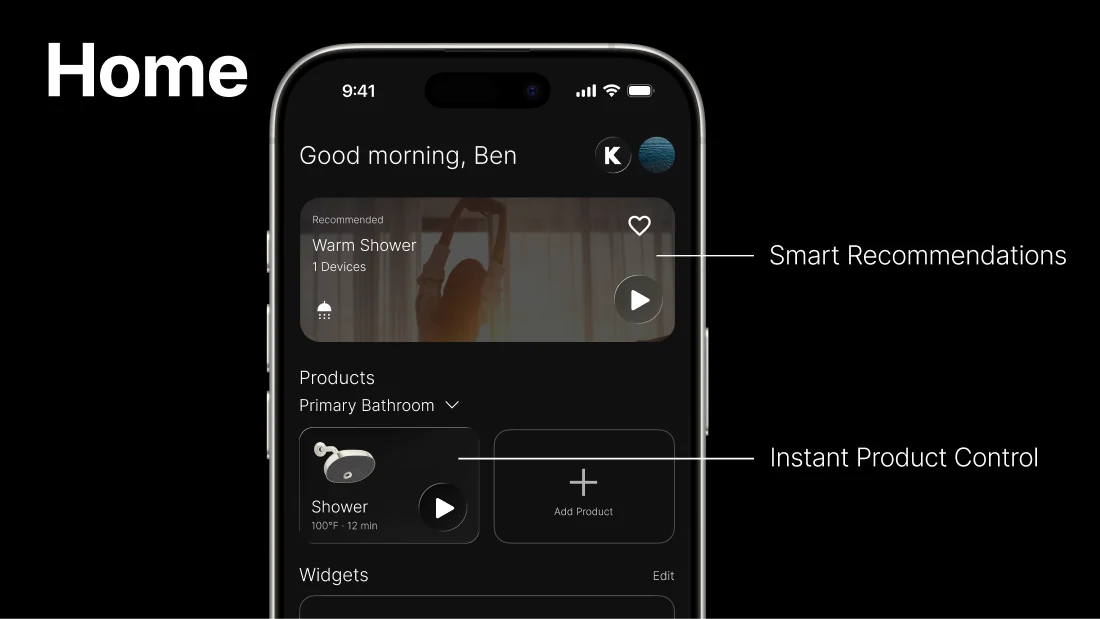
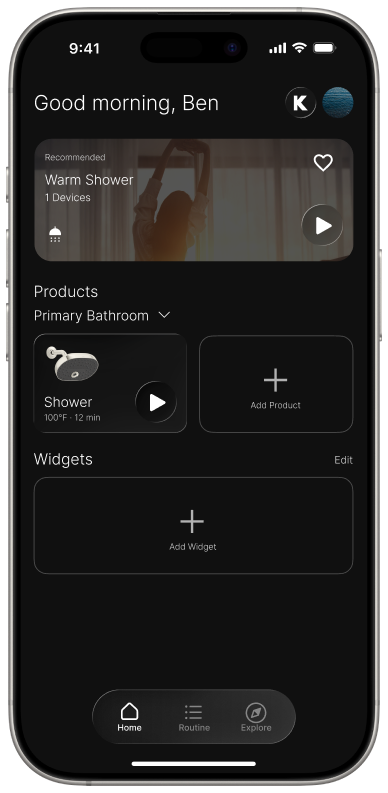
Home puts a suggested shower and the installed products on the opening screen. Someone who only wants to change a setting can go straight to the fixture.

Home in the final presentation with callouts to a shower recommendation and product control.
Home · immediate product control. Original SCADpro UX interface.

Customer interview

“what actually keeps me wanting to do the habit is seeing improvement.”

Prospective customer · SCADpro interview

For another participant, a streak helped start a habit. Evidence that the effort was paying off gave them a reason to continue.

In the final concept

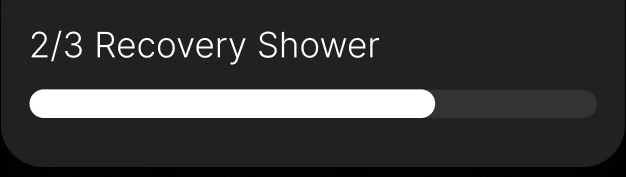
Katherine chooses a three-day recovery goal. Her goal widget shows two of three recovery showers completed, so her next visit starts with a question she can answer at a glance.

Progress detail showing 2/3 Recovery Shower and a progress bar.
Recovery goal · detail from the SCADpro UX prototype.

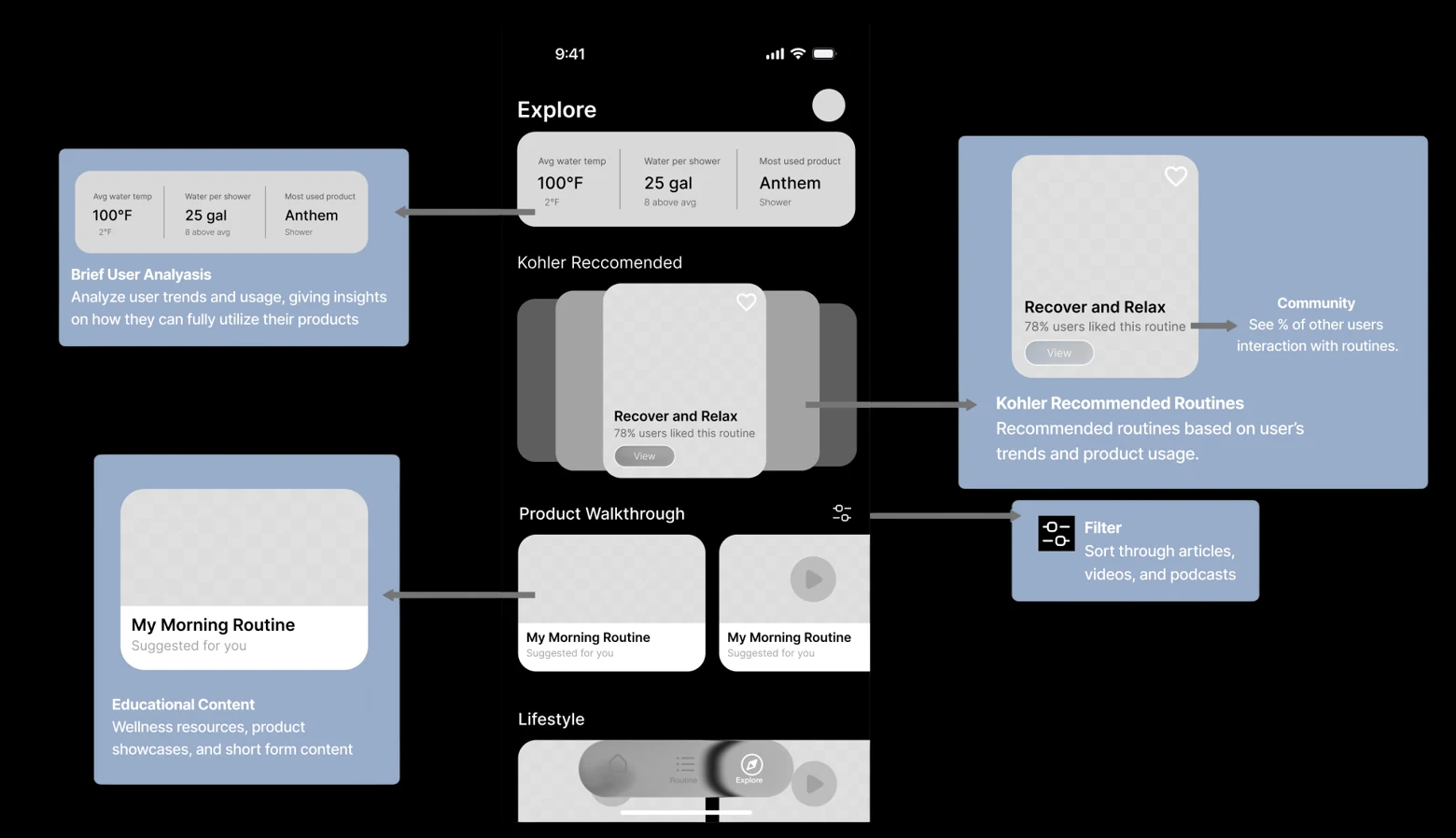
Another use for feedback. A participant who tracked sleep described looking back at patterns to make sense of a rough night. In the team’s later-use Explore concept, a customer can revisit their typical shower temperature, water use and most-used product. See the Day 90 Explore screen.

Secondary research

What could a bathroom app learn from other products?

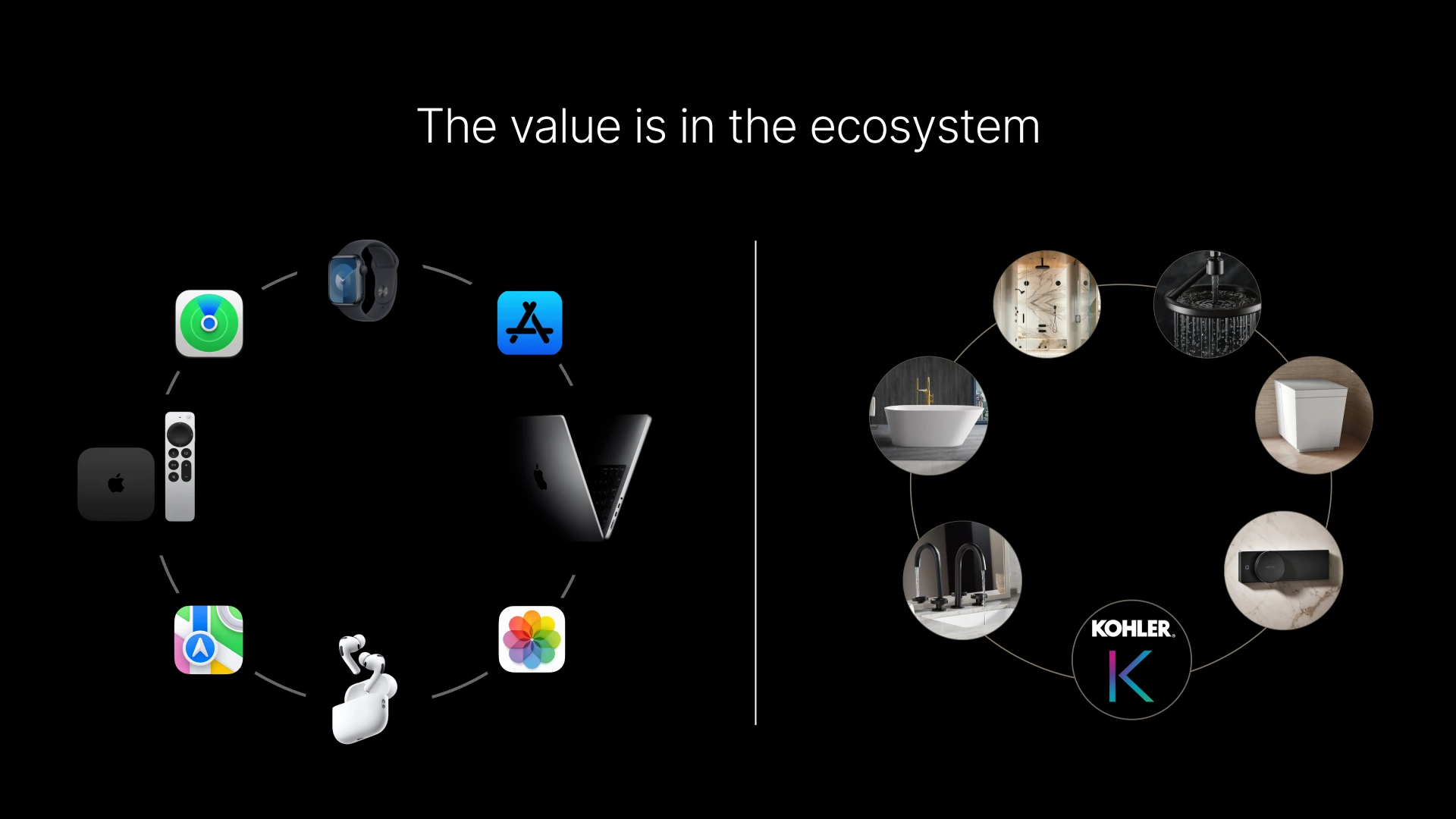
Final presentation compares Apple’s product ecosystem with connected Kohler bath fixtures.
Apple and Kohler ecosystems · final presentation.

Apple and connected products

The team used Apple to ask what a collection of devices can do together. A bathroom has a similar opportunity. A customer can save water settings, outlets and steam as one routine, then start the whole sequence again another day.

Nike and the reason to return

The team studied how Nike combines guidance, progress and a sense of belonging. Explore applies that question to the bathroom. Someone looking for a recovery routine can see what others have tried, read about it, then decide whether to try it themselves.

First-use benchmark · Oura
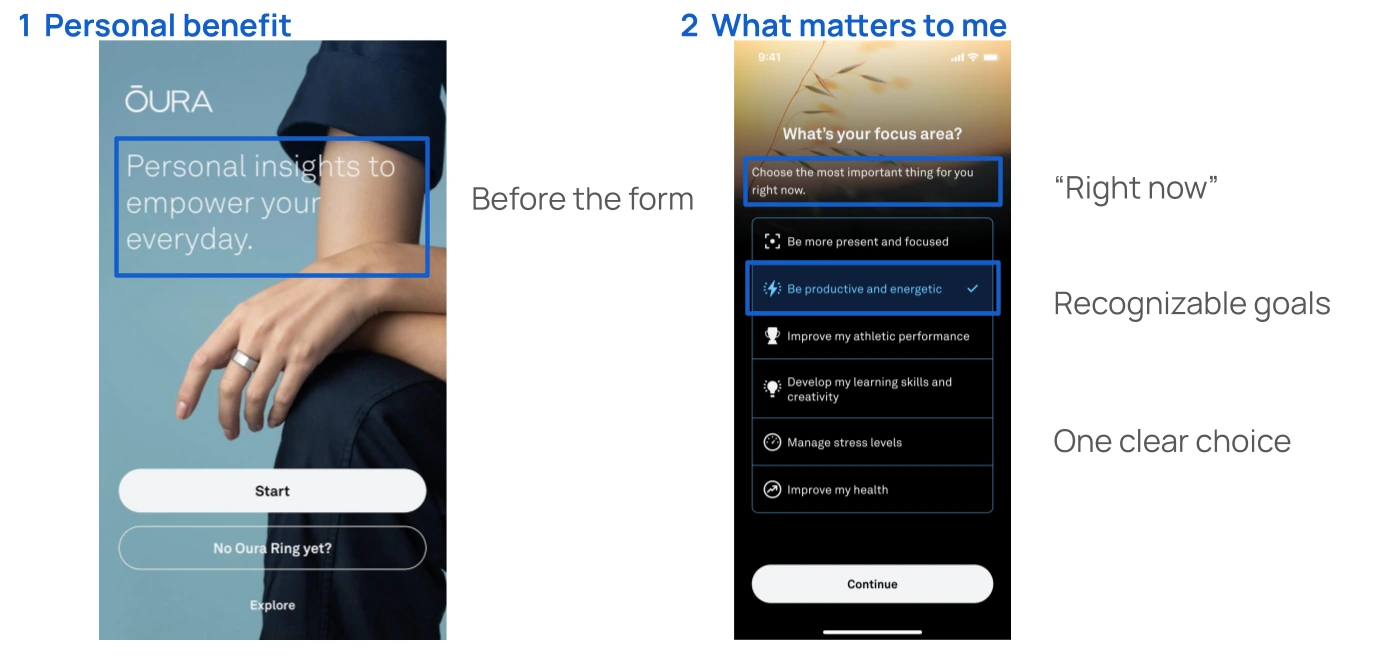
Two Oura onboarding examples showing an initial benefit and a personal goal choice.
Oura · onboarding study from the team’s research.

What does answering a question give me?

Oura introduces a personal benefit and asks which goal matters. The team used examples like this to examine what customers get back for the effort of setting up a product. The first-use story for Konnect gives Katherine a guided path and Andrew an immediate way to try a preset.

Analysis benchmark · Lifeforce
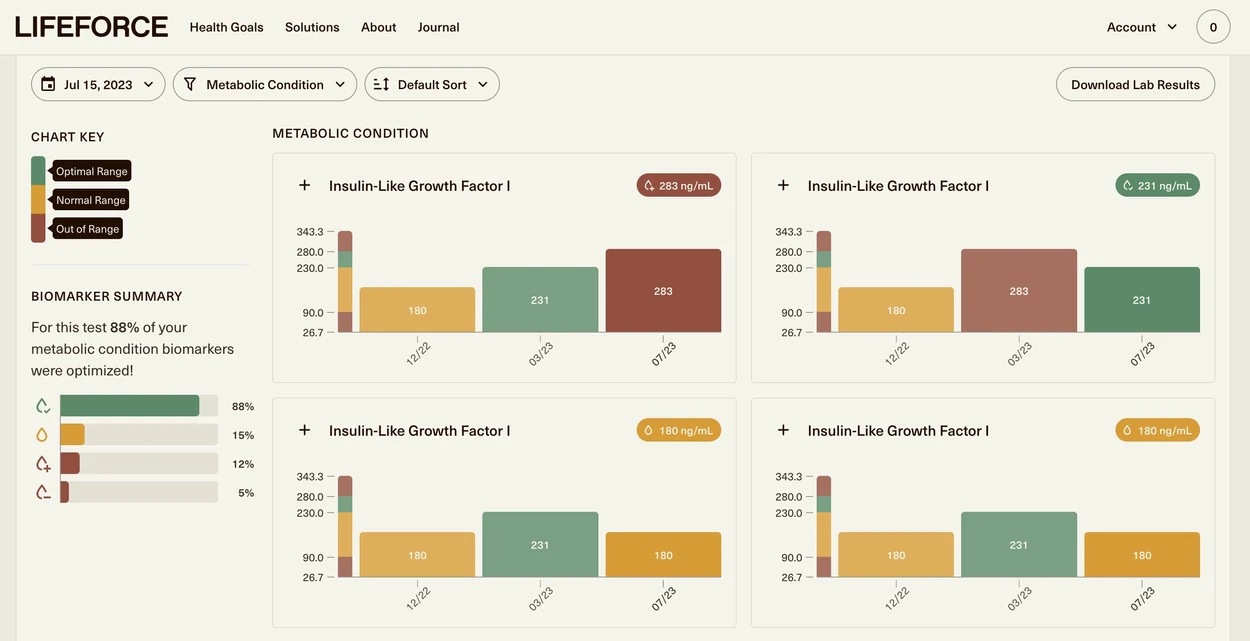
Lifeforce sample dashboard organizes readings by date and shows their reference ranges.
Lifeforce sample dashboard · team benchmark for analysis and feedback.

Give a number some context.

The team traced how a personal goal connects to a dashboard and follow-up in Lifeforce. For a bathroom, a useful comparison is simpler. Later-use Explore shows a customer how they typically use their own fixtures, while a saved routine gives them a place to change a setting for next time.

Mapping and synthesis

One household has several definitions of an easy routine.

The team mapped a customer’s goal, what they do in the room, what happens on screen and how they might feel. That made it possible to compare a quick shower with a more involved recovery ritual, even when both start at the same fixture.

Future-state journey map

A day in a connected home

The team imagined how a smart home enthusiast might use Konnect from morning to night.

Anticipated feelings
  1. Morning wake-up: Eased
  2. Departure routine: Confident
  3. Daytime monitoring: Aware
  4. Evening homecoming: Relieved
  5. Evening entertainment: Relaxed
  6. Night-time shutdown: Prepared
Morning wake‑up

GoalWake gently and feel ready for the day.

In KonnectA morning check-in suggests a routine based on sleep, schedule and habits.

In the homeLights brighten, the toilet seat warms and the water starts at the suggested settings.

Imagined thought · EasedI feel ready for the day.

Departure routine

GoalLeave home organized and stress-free.

In KonnectA daily summary brings together goals, reminders, home status, water use and supplies running low.

In the homeThe home switches to Away Mode as the person leaves.

Imagined thought · ConfidentI’m good to go.

Daytime monitoring

GoalKeep up with wellness without checking all day.

In KonnectKonnect highlights stress patterns and lets the person schedule the “Welcome Home Spa” preset.

In the homeThe connected home keeps the environment at the person’s preferred settings.

Imagined thought · AwareI know how I’m doing without obsessing over it.

Evening homecoming

GoalSwitch off from work and recover.

In KonnectKonnect suggests a recovery routine for that workday and the person’s goals.

In the homeThe bathroom prepares the suggested shower or recovery experience.

Imagined thought · RelievedI can switch off now.

Evening entertainment

GoalRelax in a way that fits the evening.

In KonnectThe person picks a guided session with music, steam, lighting, breathwork or meditation.

In the homeWater, steam, light, sound and temperature follow the session.

Imagined thought · RelaxedThis is exactly what I needed.

Night-time shutdown

GoalWind down for sleep and prepare for tomorrow.

In KonnectA short video guides the wind-down. The day’s habits inform suggestions for the next morning.

In the homeLights dim during the video. Morning settings are ready for the next day.

Imagined thought · PreparedTomorrow already feels easier.
Allow routines to change

A saved preset gives a regular customer a familiar start. Temperature and flow can still be adjusted for today.

Reduce the work of getting started

A recommendation on Home offers something to try before a customer has learned every control.

Make the benefit visible

A personal goal can show progress across visits. Guest access makes the same household’s fixtures useful to someone who is only there for a day.

How this informed Explore at Check-in 3
Team wireframe connecting product education, recommendations and usage insights on Explore.
Annotated Explore wireframe · Check-in 3.

Final design · SCADpro UX team

One app, three reasons to open it.

At Check-in 2, the team explored three directions. One coordinated the atmosphere of a room, another put everyday controls within reach, and a third offered personal guidance. By Check-in 3 the team had brought them into one concept, guided by “Effortless control, tailored to your life.”

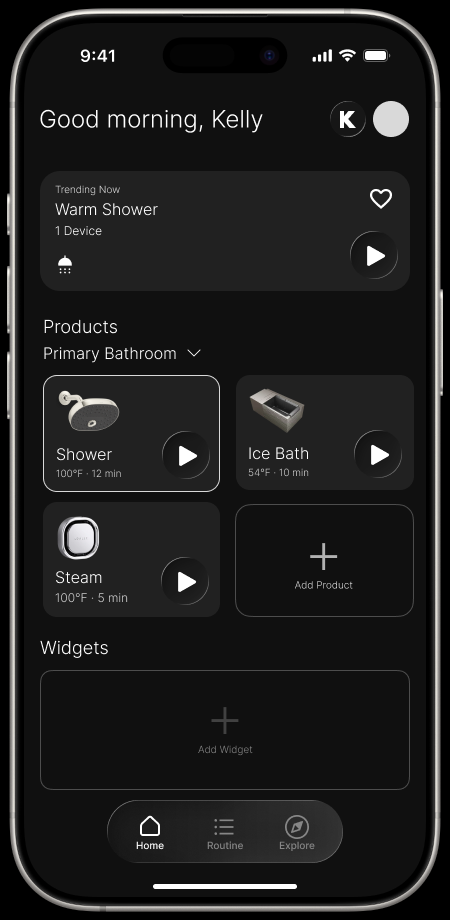
Home shows a recommended warm shower, products in the primary bathroom, and an area to add widgets.

SCADpro UX team · Final Figma screen

Home

Start the suggested warm shower or go straight to a product. There’s space to add widgets as preferences develop.

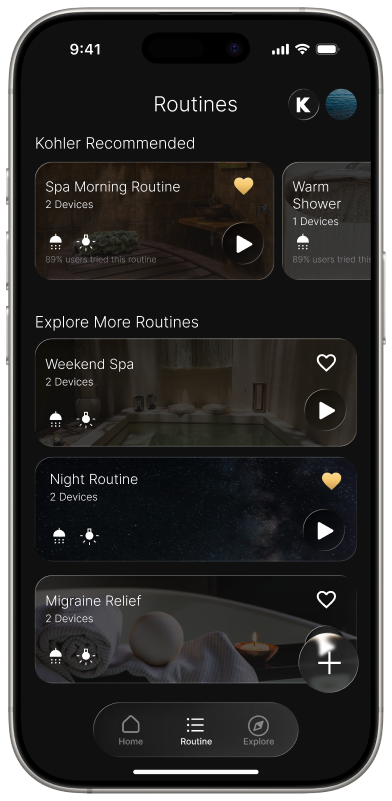
Routines lists recommended presets with product counts, favorite icons, and play controls.

SCADpro UX team · Final Figma screen

Routines

See which products a preset uses. Open it to adjust water flow, temperature, outlets, or steam before starting or saving it.

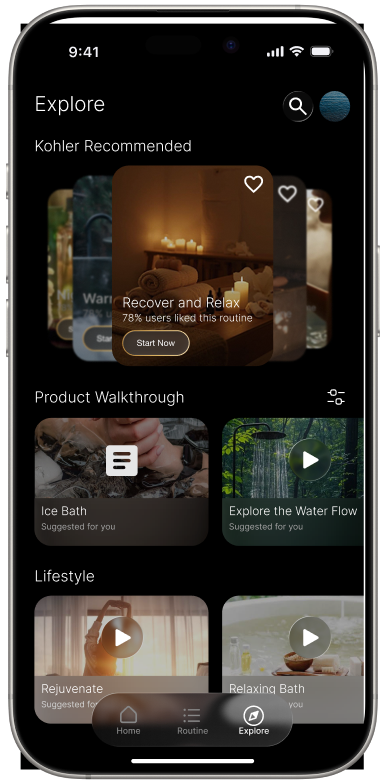
Explore offers a carousel of routines, product walkthroughs, and lifestyle guides.

SCADpro UX team · Final Figma screen

Explore

Find a community favorite or open a short walkthrough that shows how to use a feature on a connected product.

Design development

How the team organized and refined the experience

On the shared information architecture board, Home connects to products and recommended presets. In the final navigation, Home gives direct access to a fixture, Routines holds saved experiences and schedules, and Explore offers instruction and discovery.

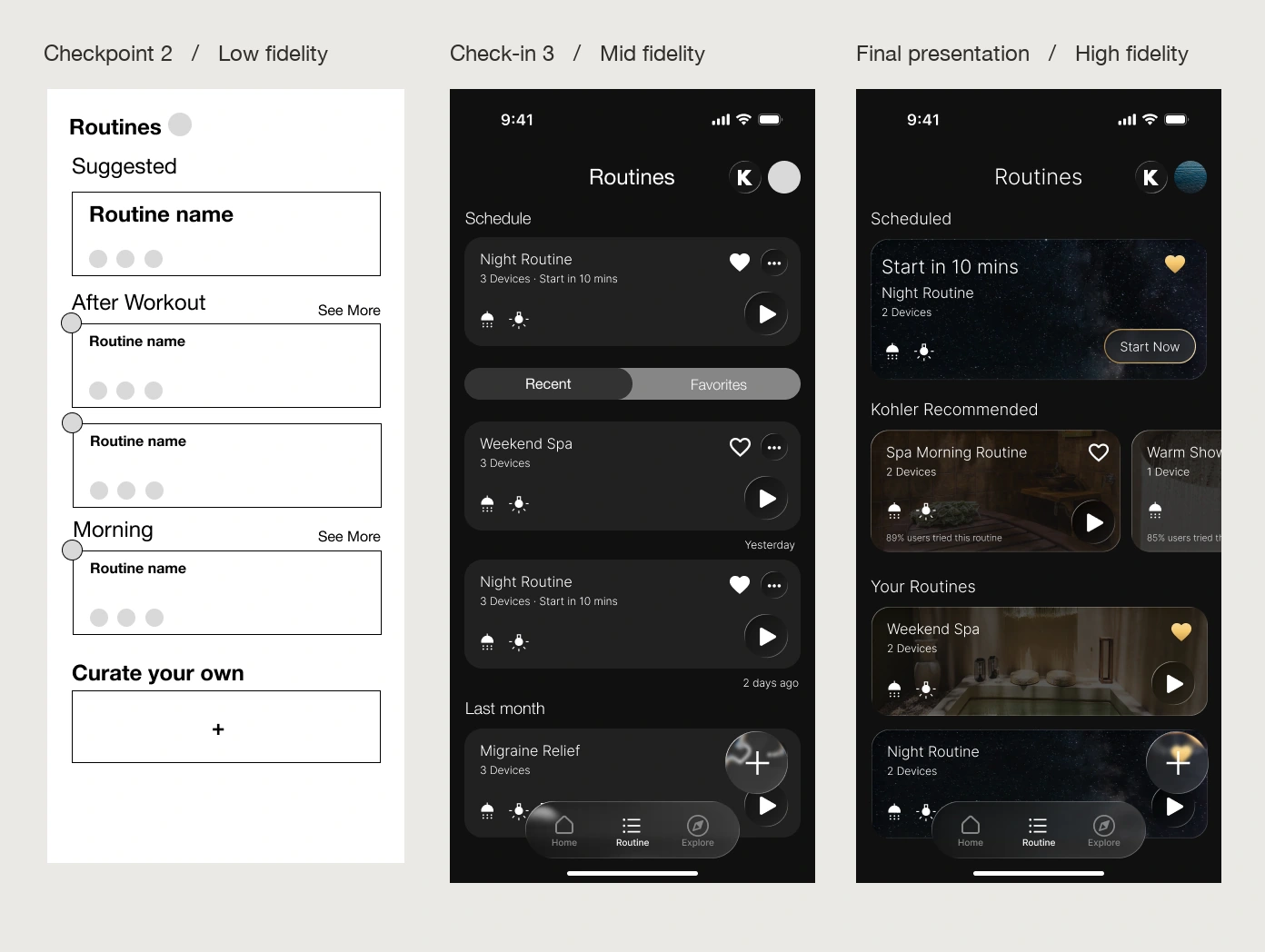
The Routines interface across three design milestones, from early structure to the final product screen.
Routines across design milestones · original frames from the team’s UX design file.

The final Routines screen separates a schedule the customer already set from Kohler recommendations and their own saved routines. At a glance, they can pick up a plan, try something new or return to a favorite.

See the visual system behind the screens
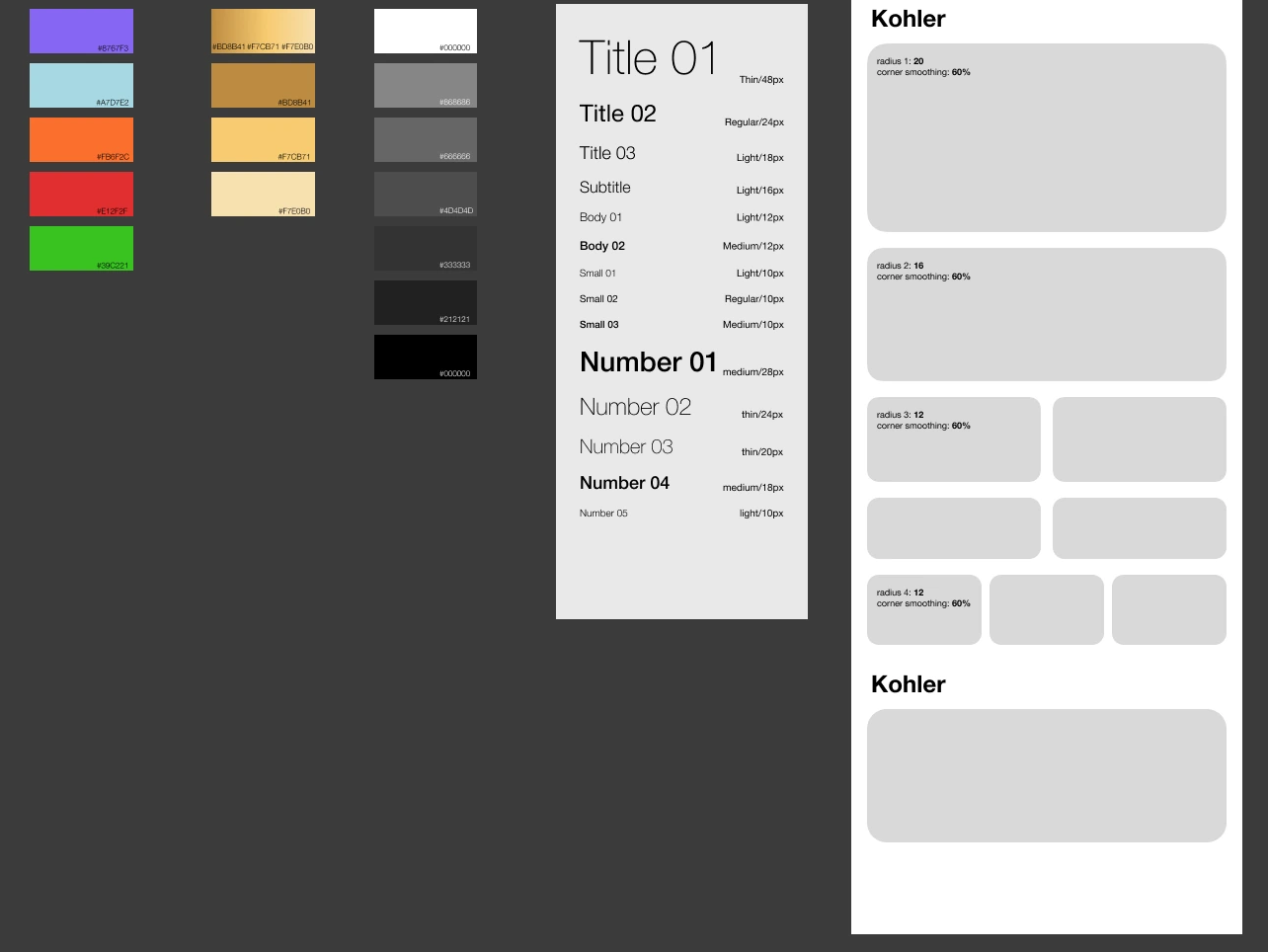
Team design study showing color swatches, the Helvetica Neue type scale and corner radius examples.
Team design file · color, type and component study.

Consistent controls across rooms

The UX team studied a dark interface palette, a Helvetica Neue type scale and corner treatments for cards. The final screens reuse familiar cards and controls across products so that moving from a shower to another fixture still feels like using Konnect.

Horizon 1 · First use

Same shower. Two ways in.

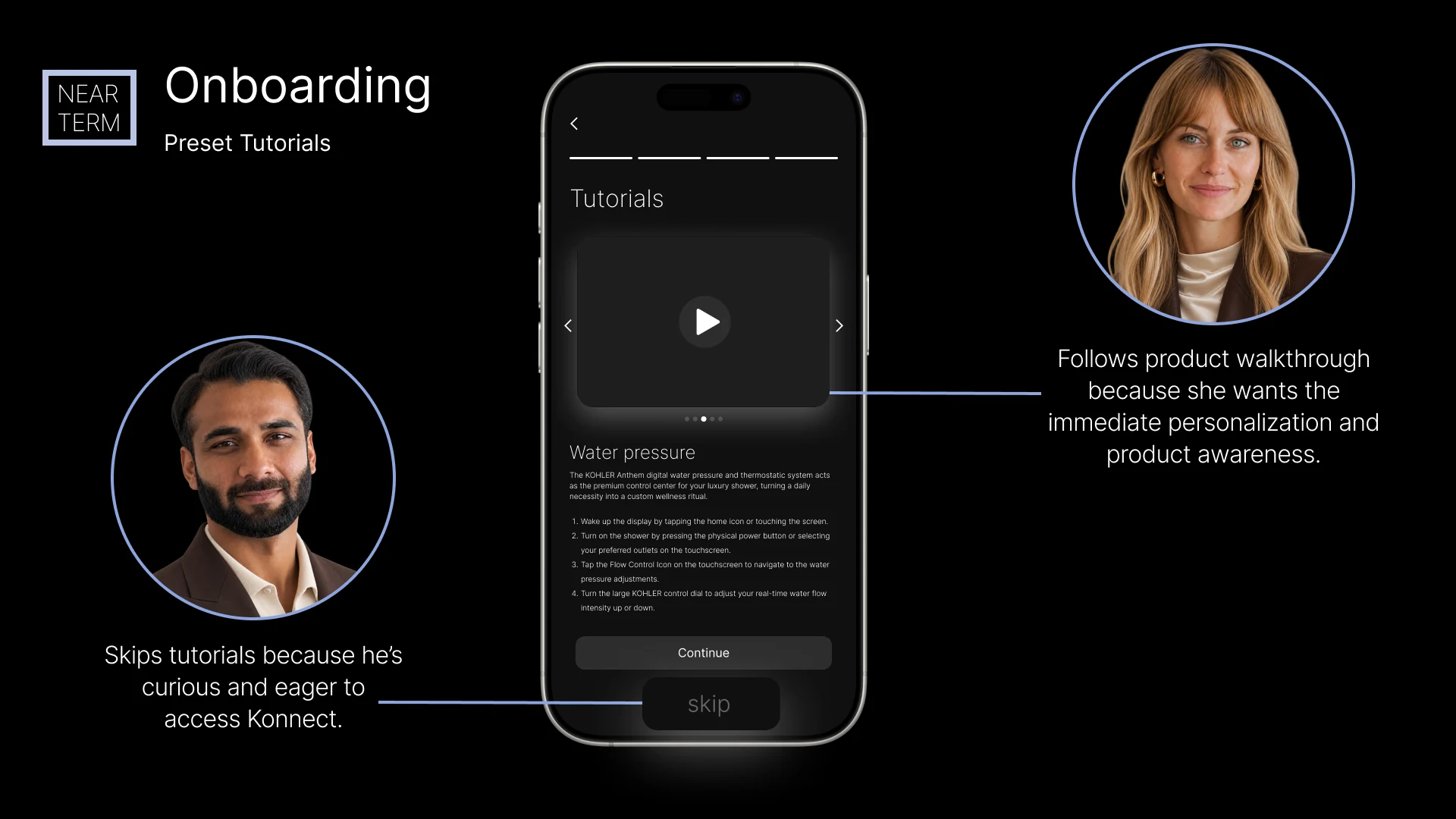
In the Horizon 1 storyboard, Katherine takes the walkthrough to set up her presets. Andrew skips it and tries a community favorite. Both can get a shower they want on that first visit.

Final Horizon 1 slide: Katherine follows the preset tutorial; Andrew uses the skip option on the same screen.
Horizon 1 storyboard from the final team presentation. Interface by the SCADpro UX team.

Household scenarios

A parent and a guest need different controls

The final presentation followed four fictional people through one home. Katherine saves a recovery ritual and Andrew learns a product when he needs it. The other two stories ask who should be able to change the settings.

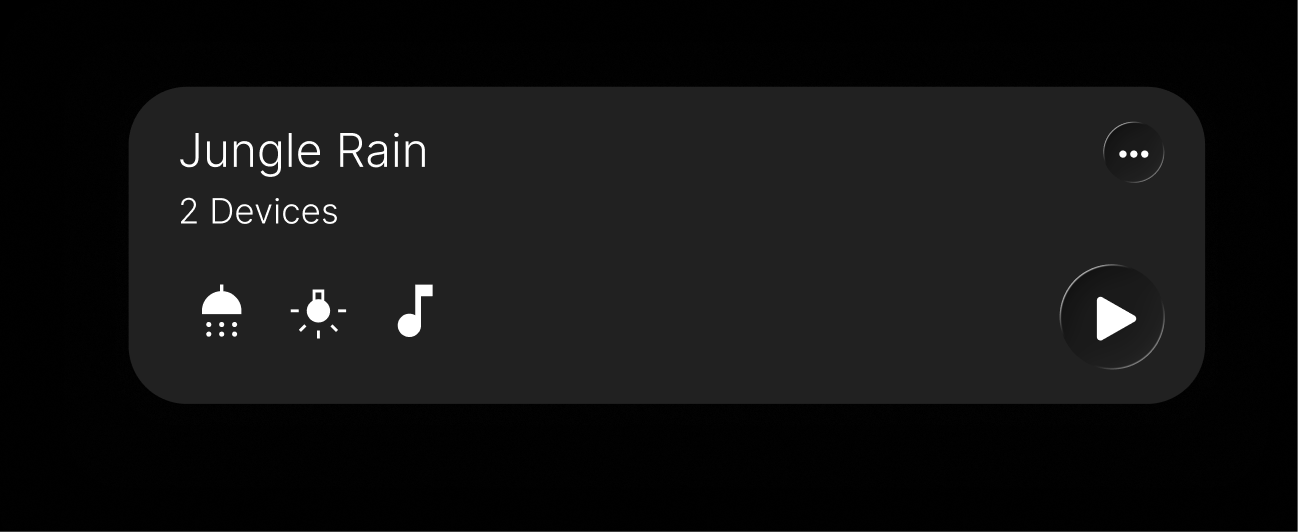
A playful Jungle Rain preset from the proposed Kids’ Mode.
William · Kids’ Mode.

A child can choose a theme.

William gets jungle sounds and lighting while his parent sets the shower temperature, pressure and time.

Guest Home screen showing recommended routines for the guest bathroom.
Kelly · Guest Mode.

A guest gets a one-day pass.

Kelly can try the guest bathroom’s presets during her visit. Katherine decides which space to share and for how long.

Outcomes · Team concept

From one bathroom to the next.

We delivered a customer value framework, a mid-fidelity app concept and a roadmap for Kohler. The final presentation used these three scenarios to show how the experience could grow.

Horizon 1 · Near termAt home

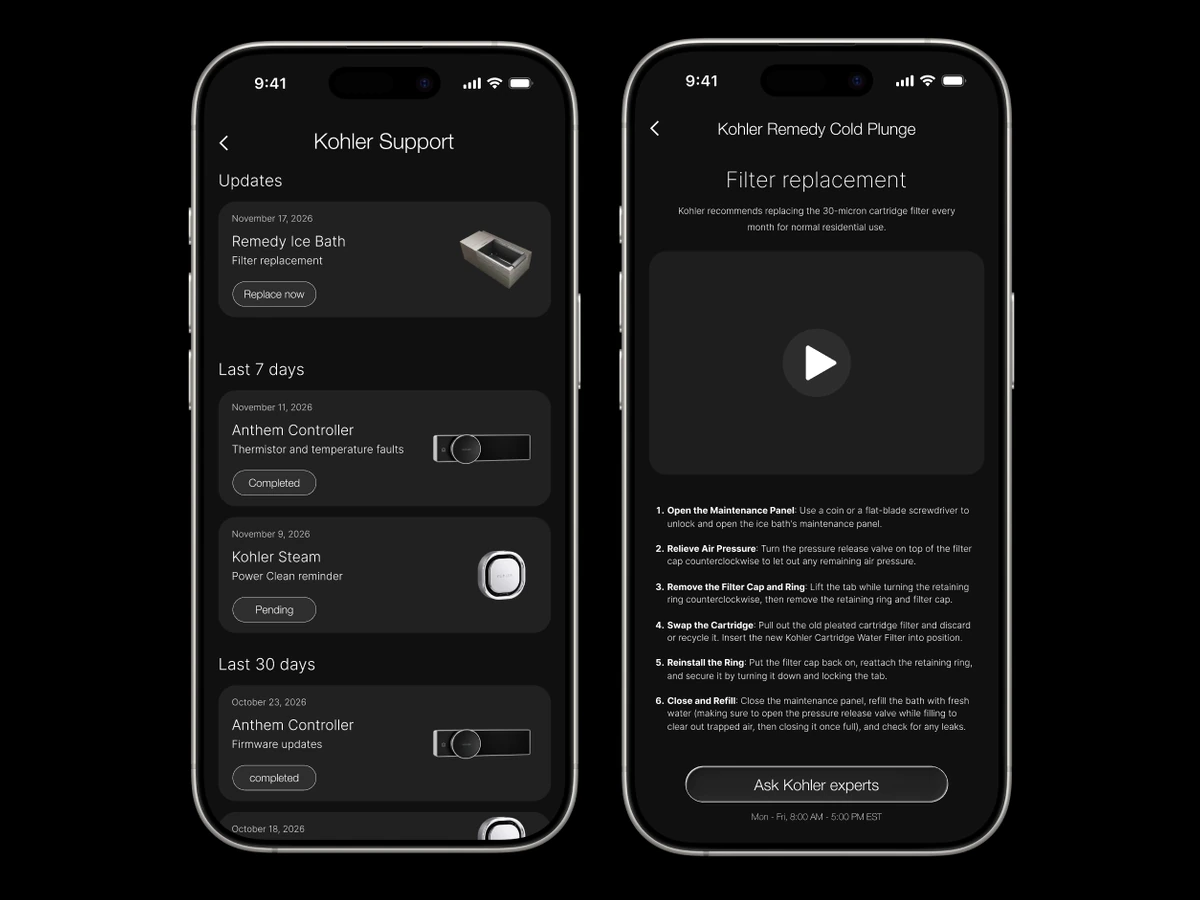
A filter alert takes the customer straight to replacement instructions for their Remedy ice bath.

Enlarge the UX team’s Kohler Support screens showing a Remedy ice bath filter alert and replacement instructions.
Horizon 2 · Mid termAcross homes

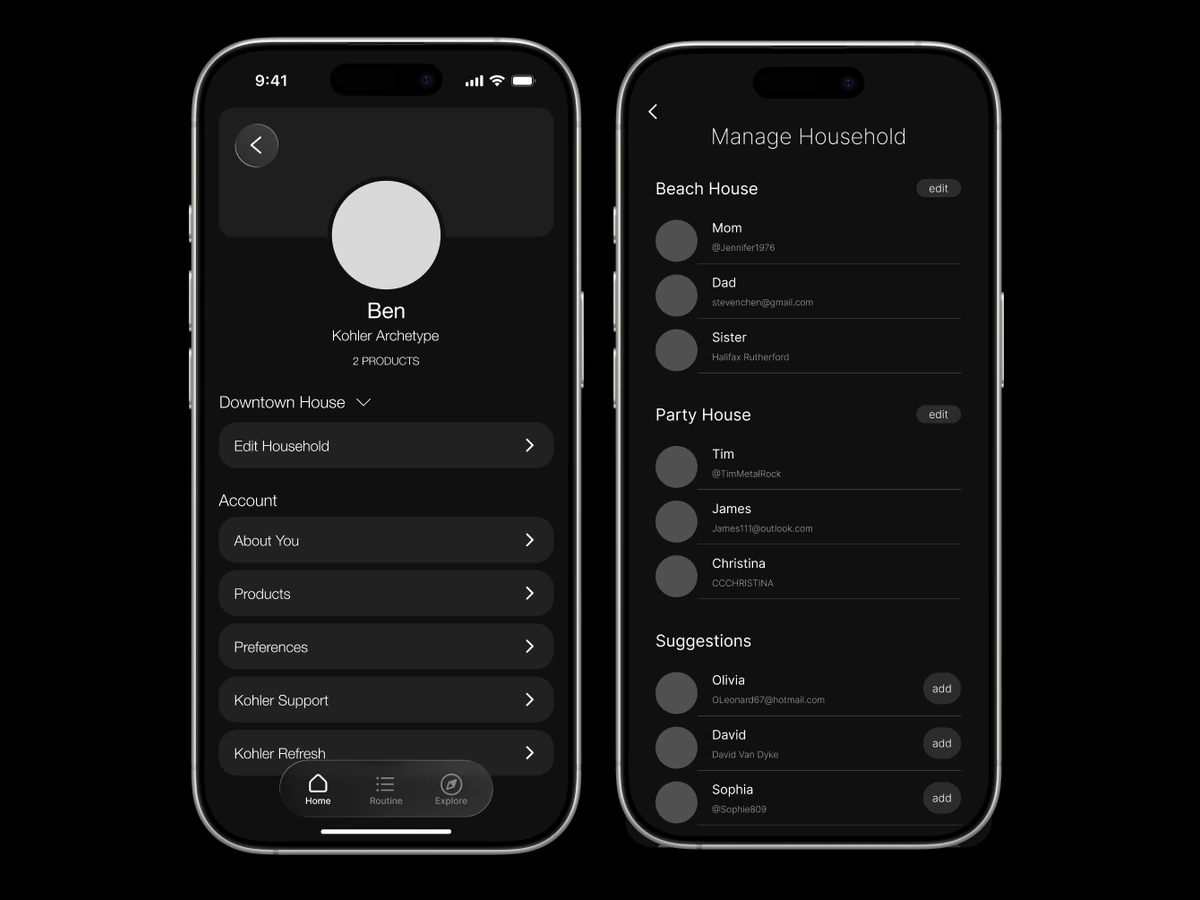
Switching to the beach house brings up its fixtures, people and routines. Customers can tell which home they’re controlling.

Enlarge the UX team’s household picker and Beach House member-management screens.
Horizon 3 · Long termOver time

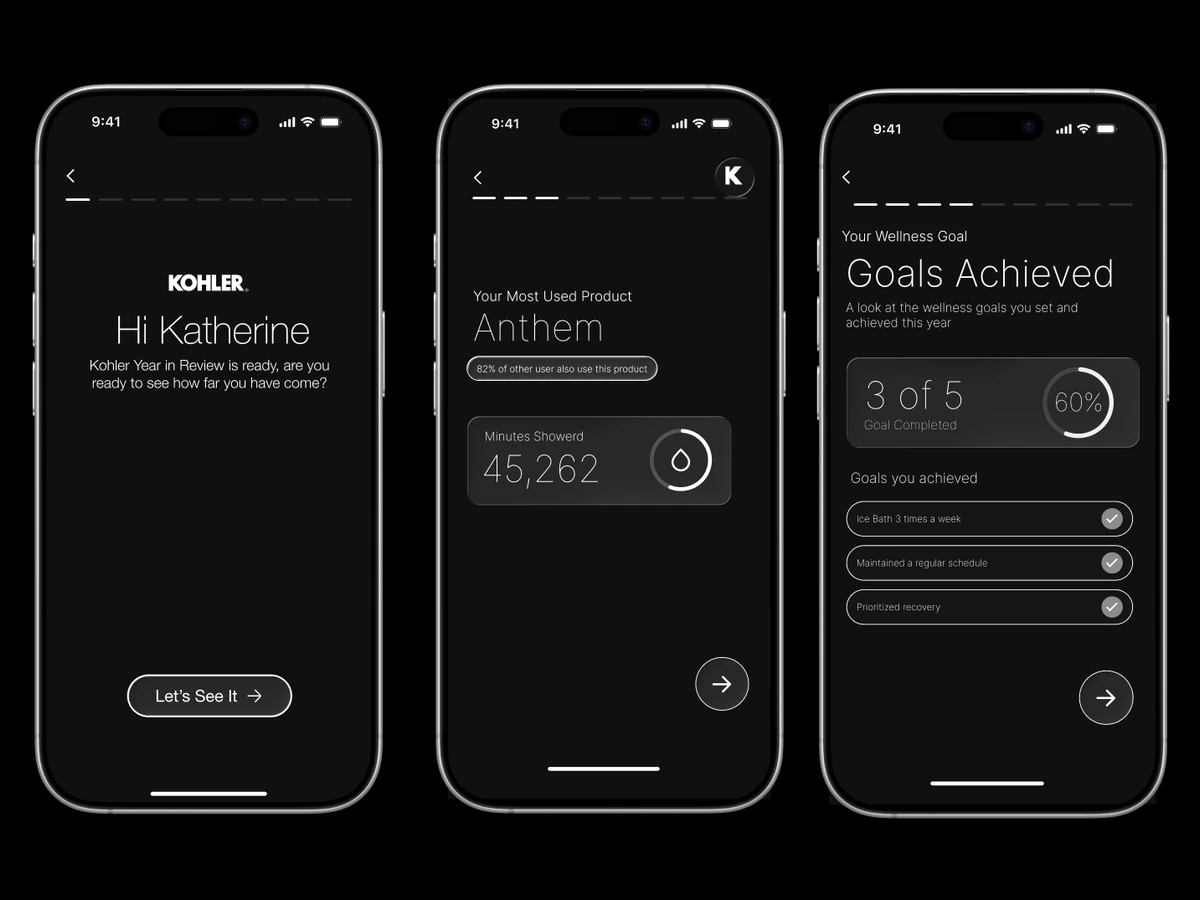
Katherine looks back at her most-used products and goals in a year-end review. Andrew could bring a saved routine to a hotel.

Enlarge the UX team’s Year in Review screens showing Katherine’s most-used product and progress on her goals.
Open the team’s final presentation recap
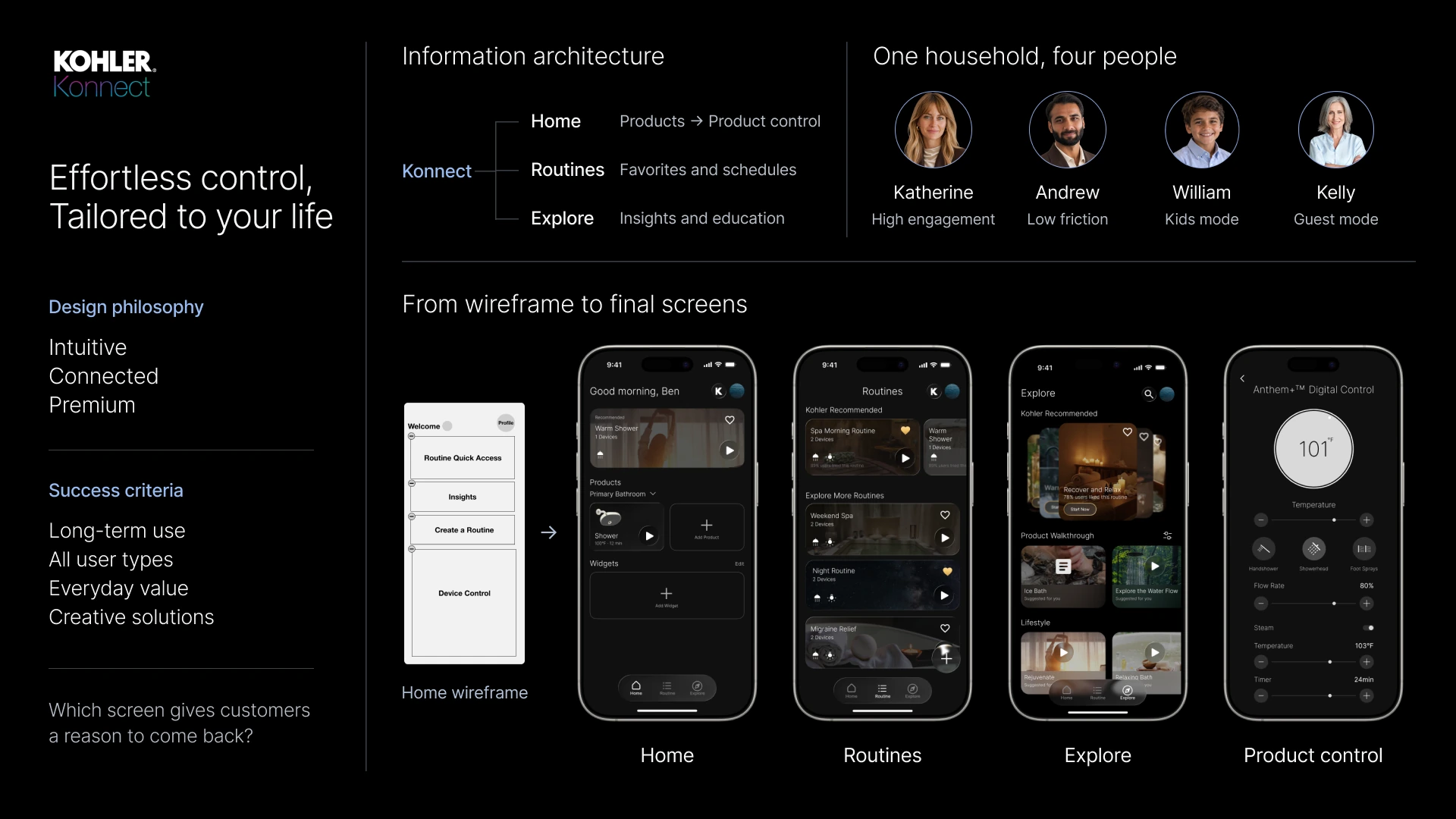
The team’s closing slide brings together its design philosophy, success criteria, navigation, four household scenarios and original interfaces.
Project recap from the final SCADpro presentation to Kohler.